www.mucarco.com
www.mucarco.com
32
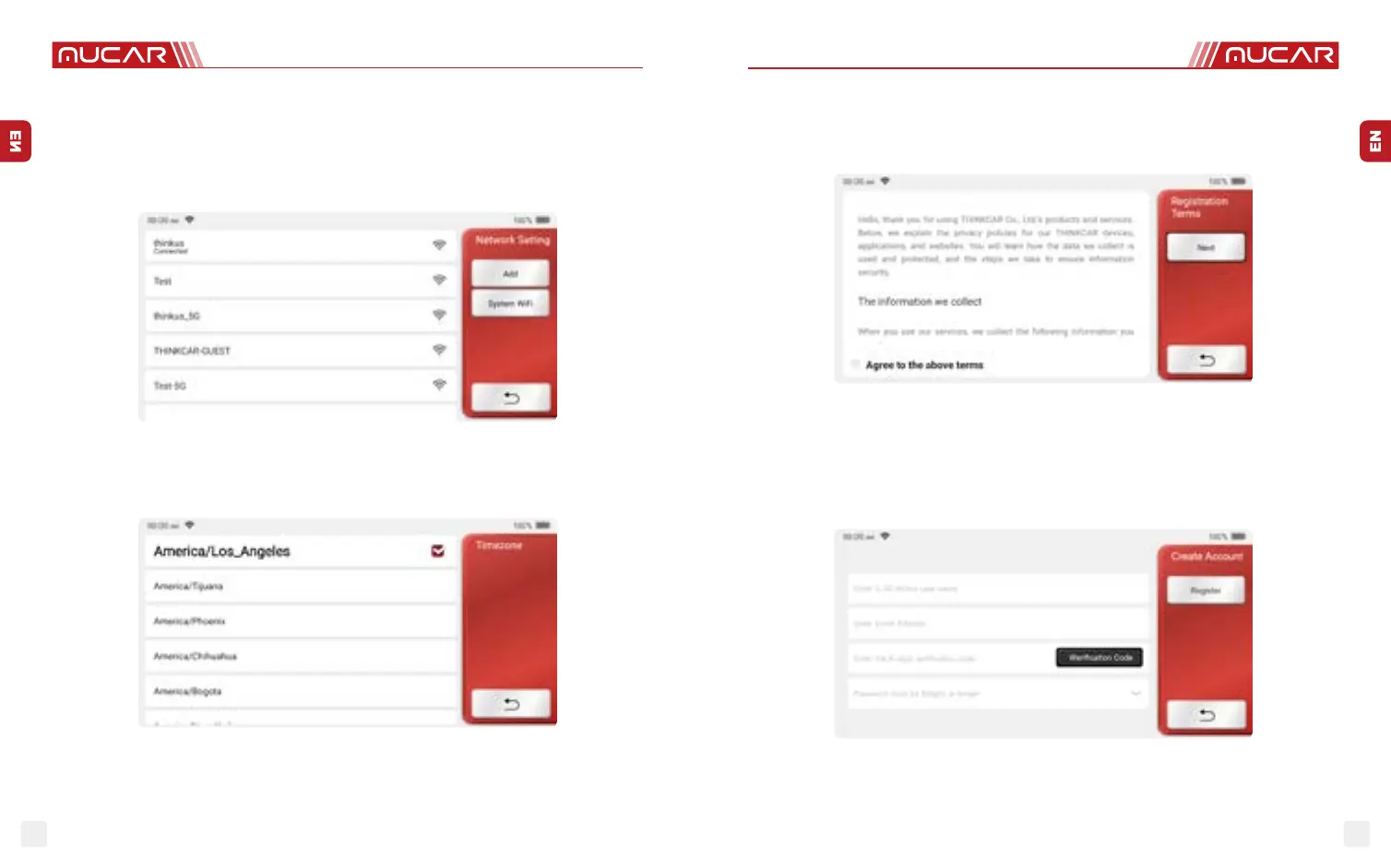
1.1.5 User Agreement
Please read all the terms and conditions of the user agreement carefully. Choose “Agree
all the above terms”, and click the “Agree” button to complete the registration process.
Then the page will jump to the “Congratulations on your successful registration” interface.
Initial settings are nished after the above steps. It will automatically jump to the work
interface after 3 seconds.
1.1.6 Create an Account
You need to register an account through your e-mail box. If you have owned other products
of MUCAR series, you can directly log in by using the account available.
1.1.3 Connect Wi-Fi
The system will automatically search all available Wi-Fi networks and you can choose the
Wi-Fi needed. If the chosen network is open, you can connect it directly; If the chosen
network is encrypted, you must enter the correct password. Then You can connect Wi-Fi
after clicking “connect”.
Tips: Wi-Fi must be set. If no Wi-Fi network is available nearby, you can enable "Portable Mobile Hotspot".
1.1.4 Choose Time Zone
Choose the time zone of the current location, then the system will automatically cogure
the time according to the time zone you choose.


 To Next Page
 Loading...