5MUDITA BELL - USER GUIDE
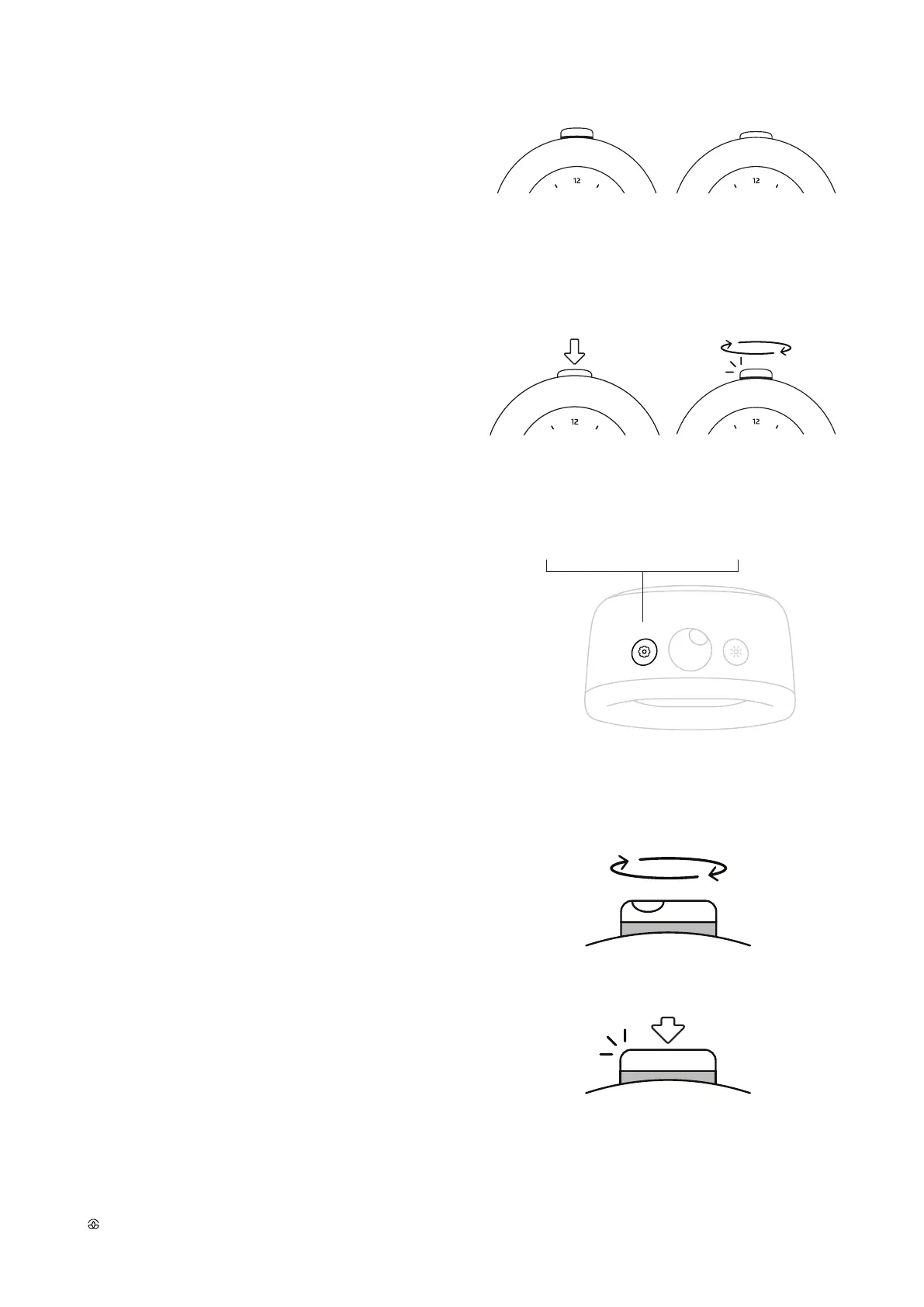
Alarm is activated when the main button is pushed out and
the orange alarm band is visible. To deactivate the alarm, push
down the main button in, so that the alarm band is not visible.
NOTE: Due to the analog mechanism characteristic,
when alarm is set up, it will go o every 12 hours.
To turn o the ringing alarm, deactivate it with a deep press.
Light click or rotation of the main button will trigger
a 10 minute snooze.
NOTE: If no interaction with the main button occurs, snooze
will be triggered after 3 minutes of ringing, and will be repeat-
ed 3 times. After 3 snoozes, the device will stop ringing.
ALARM IS ACTIVATED
AND WILL SOUND.
ALARM IS DEACTIVATED
AND WILL NOT SOUND.
Activate and deactivate the alarm
Turning o the ringing alarm and snooze activation
DEEP PRESS THE MAIN BUTTON
TO TURN THE ALARM OFF.
LIGHT CLICK OR ROTATE TO ACTIVATE
10 MINUTE SNOOZE.
Three-step alarm settings
Press the settings button for at least 2 seconds to access
the three-step alarm settings mode. At anytime, you can
leave the alarm settings by pressing the settings button
on the alarm clock.
PRESS FOR 2 SECONDS
TO ENTER SETTINGS
SINGLE CLICK TO LEAVE
THE SETTINGS
Rotate the main button to change the sound of your alarm.
You can choose from 10 dierent sounds. Lightly click on the main
button to confirm your choice. You will automatically move to the
next step, where you will be able to adjust the volume of your alarm.
Rotate the main button to adjust volume level. Light click on the
main button to confirm your choice. You will automatically move to
the next step.
Rotate the main button to turn the light on/o during wake- up.
Light will gently turn on at the designated alarm time. Light click on
the main button to confirm your choice and go out of settings mode.
1. SELECT YOUR ALARM MELODY
2. ADJUST THE VOLUME
3. TURN ON/OFF THE LIGHT
ROTATE TO CHOOSE
LIGHT CLICK TO CONFIRM



 To Next Page