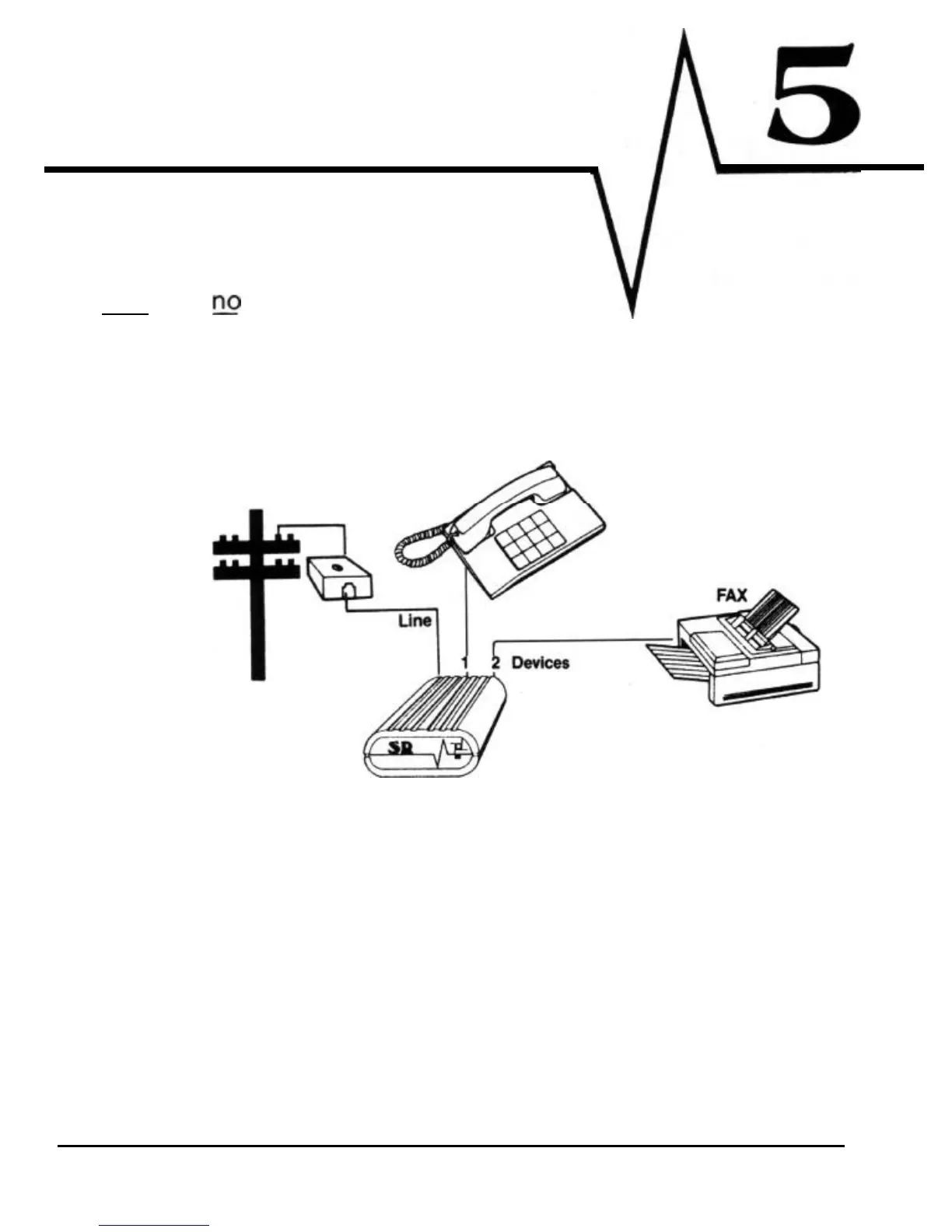
Single Line
Installation
A. Simple
Plug-In
(one
jack,
extensions)
Ring Supervision:
Excellent
Barge-in Protection:
Excellent
Install,
Ease/Expense
Excellent
To Telephone Co.
Central Office
This installation
will
only work if
you
have
only one
jack
with no extension
jacks!!!
If
you are fortunate enough to
have
this configuration
in
your home or
business, take your best friend out to dinner!
1) Simply unplug whatever
is
in
the
wall
jack and connect the “LINE” input
of your SR to the wall jack with the supplied line
cord.
2) Reattach your phone to DEVICE 1. Connect your data device to the
DEVICE 2 (and 3) ports with a line
cord.
SR
series
ll



 To Next Page