www.element14.com
www.farnell.com
www.newark.com
Page <11> V1.118/06/18
MC-I20 User Manual & Troubleshooting
2. Levelling the platform
When we use the utility knife to peel off the print from the print plate, the rst layer of the next print may not stick after nishing
printing. Apply a stick of solid glue on the tool box to the platform, depending on the size of the model you are printing. To level
the print plate, see instructions below:
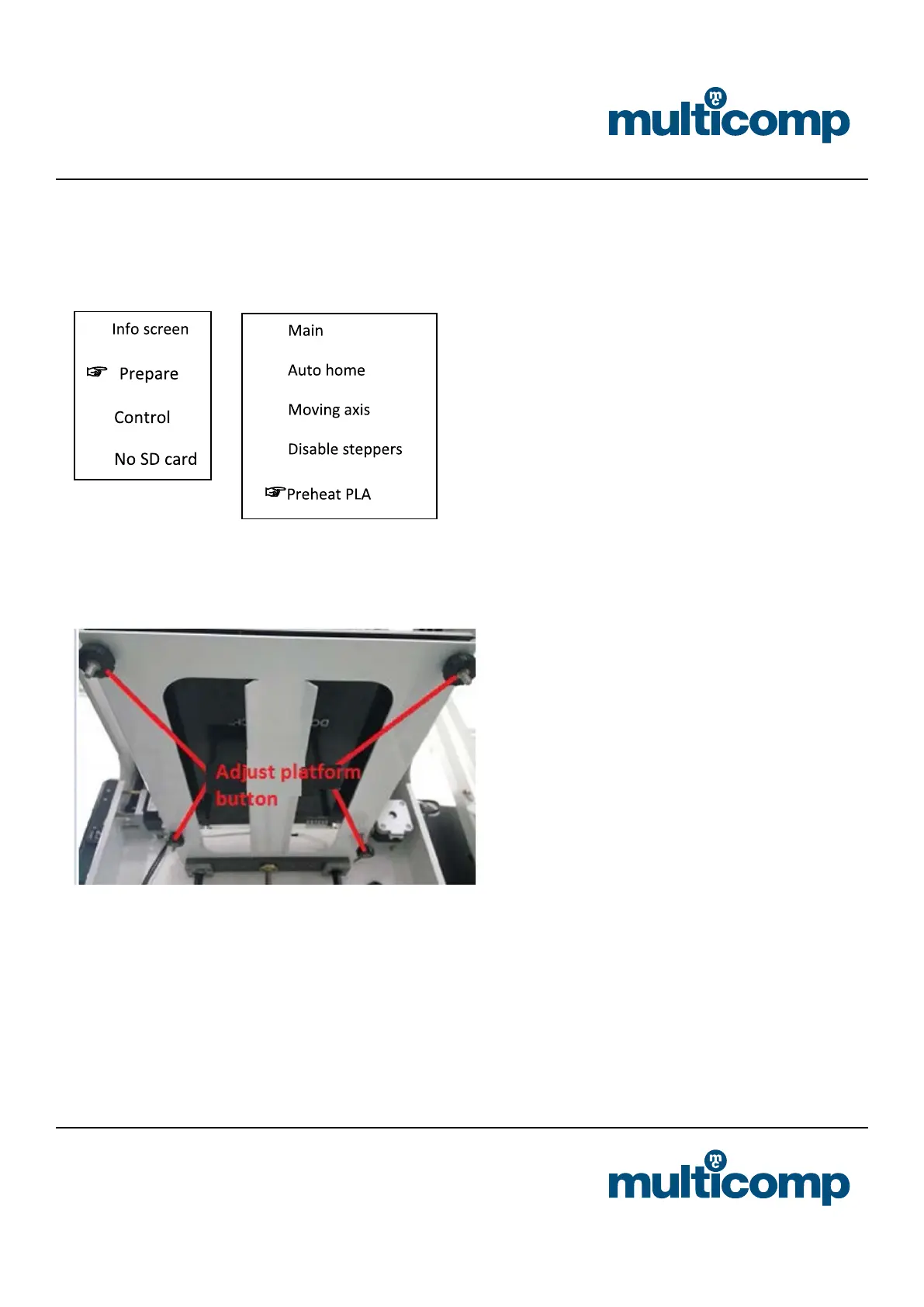
a. Press the control knob to select “Prepare” -> “Leveling”
b. After selecting the “leveling” command, according to the screen prompts, the nozzle will move to the four corners of the
platform in order, horizontally observe the distance between the platform and the nozzle, and adjust the distance between
the nozzle and the platform through the knob under the platform. Just can put A4 paper between them. After the adjust-
ment, select “Auto- home” “Disable steppers” and when moving the nozzle manually, there should be shallow scratches on
the A4 paper.
3. Install the slicing software and slice to generate an executable le (.gcode). For details, please refer to the installation
instructions of the slicing software separate to this User Guide.


 To Next Page