[
35
]
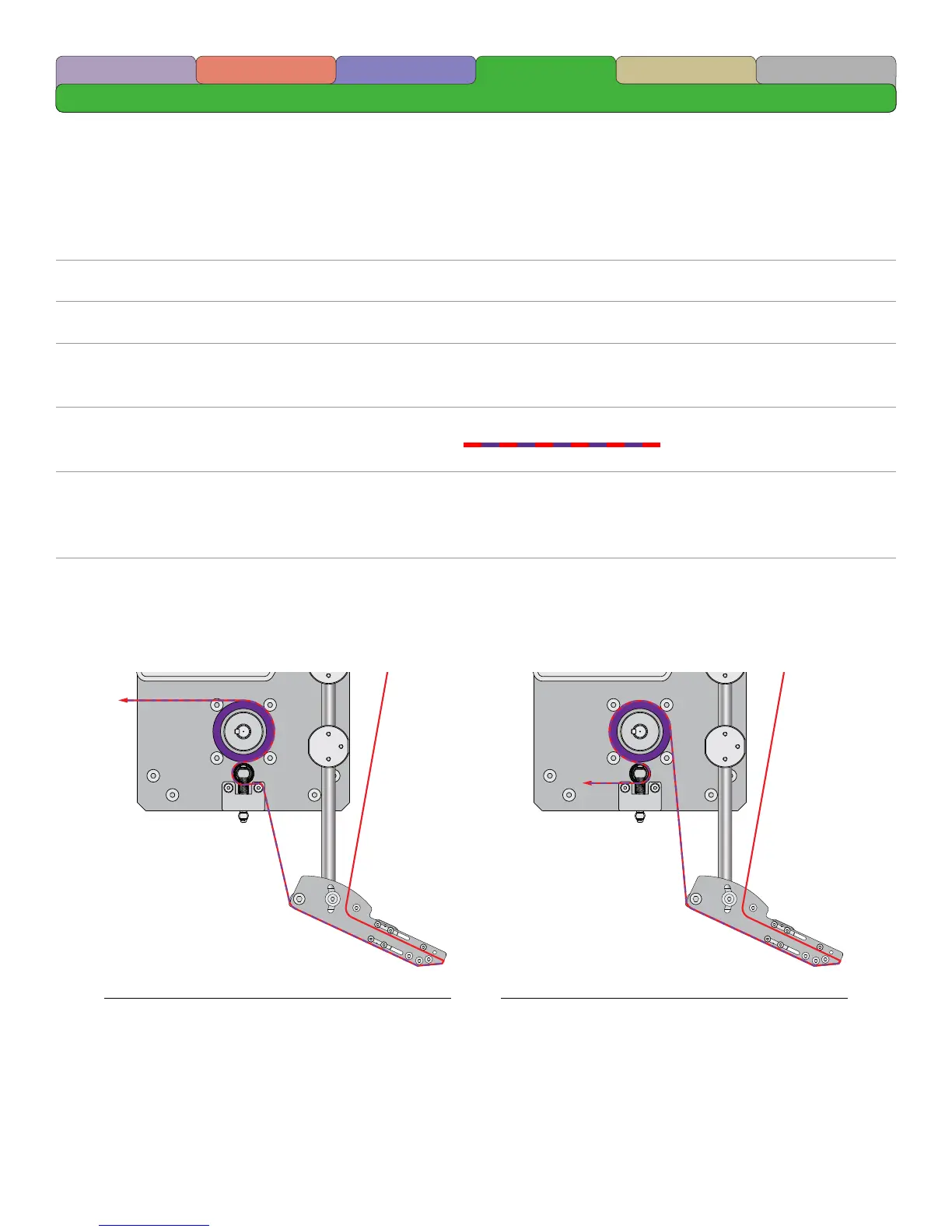
1 Place the roll of labels onto the Power Unwind Hub such that the label exits the top of the roll in
the direction of the Peel Plate.
2 Form a loop within the Power Unwind Media Sensor Box.
3 Thread the media around the Media Guide Roller.
4 Thread the media around the Peel Plate Media Guide Roller and between the Upper Product
(Label) Sensor Pair.
5 Thread the media over the Peel Plate and around the Peel Edge removing any labels from the
liner after the Peel Edge as illustrated by the dashed line.
6 Thread the liner under the Main Drive Pinch Roller and then between the Main Drive Pinch Roller
and the Main Drive Roller Using the Main Drive Pinch Roller Pull Down Bar. Continue threading
the liner around the Main Drive Roller and to the rewind device.
7 Place a length of liner material into the Vacuum Take Up Device Entrance. The length will vary
depending on the characteristics of the Liner.
Common Thread Pattern Alternative Thread Pattern
Terms/Conditions
Maintenance
SafetyIntroduction Terminology Setup



 To Next Page