multilaneinc.com
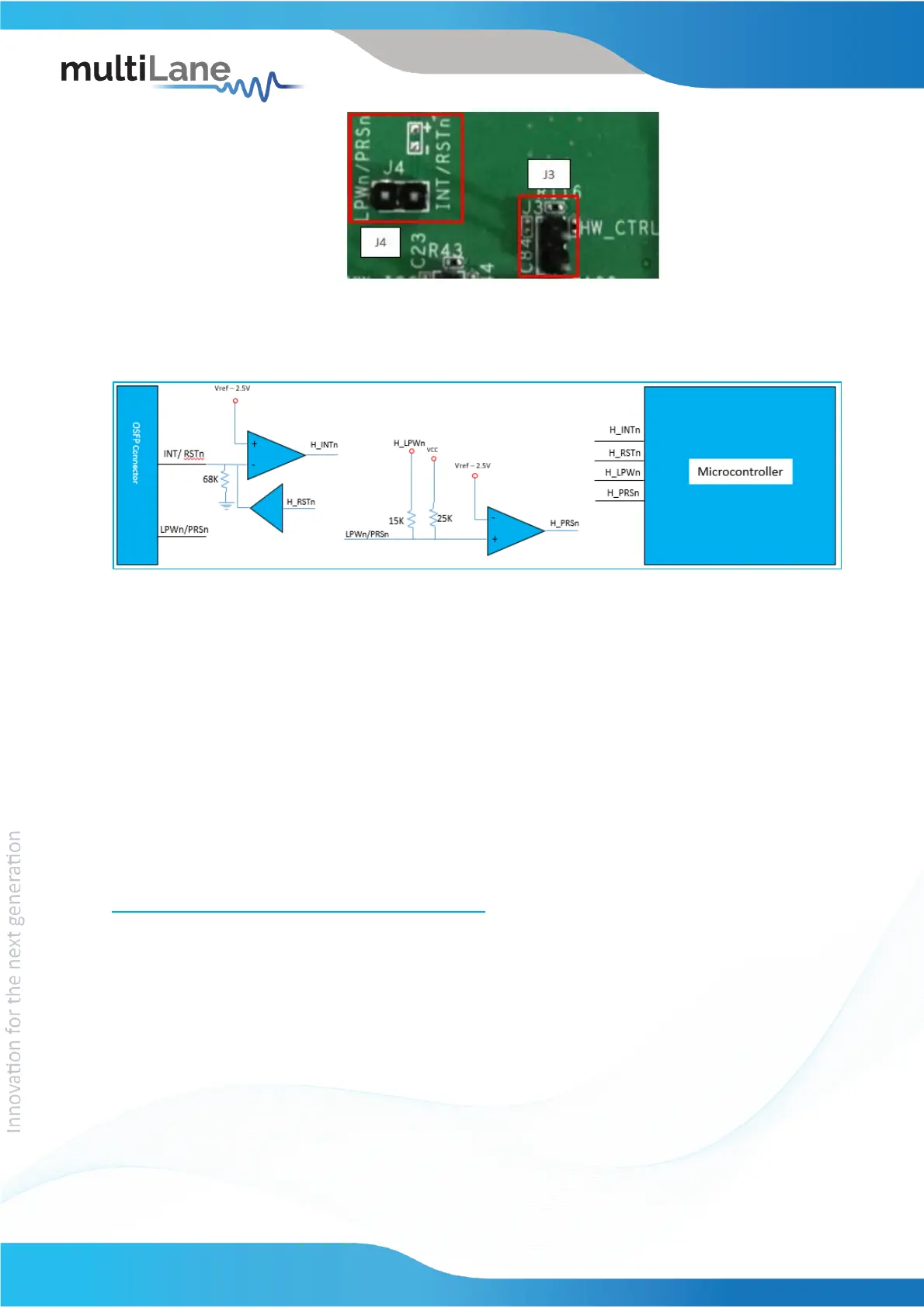
Figure 2: External Control Signals
The low speed signals circuit shown below shows the connection of these signals to the
microcontroller and OSFP connector.
Figure 3: Low Speed Signals Schematics
4. ML4064-MCB Software
The ML4064-MCB is accessible and controlled through application software. This software is
MSA compliant and provides a user-friendly interface to operate the board and access all its
features. The communication between the ML4064-MCB board and the software is established
through USB connection.
4.1 USB Driver
In order to be able to communicate with the board, user need to install the USB driver of the
ML4064-TR-MCB. This is available on the website under the following link (USB Driver icon):
https://multilaneinc.com/products/ml4064-mcb/
Below is a brief guide on how to install the USB Driver:
- Power up the board
- Connect the board to the PC through USB cable
- Download the USB driver file
- Go to “Device Manager”
- Find the target device that need to install the driver
- Right-click on the device and select Update Driver Software
- Select Browse my computer for driver software
- Browse you PC and select the driver file



 To Next Page