Chapter 1: Sending Faxes
6 FaxFinder Client User Guide
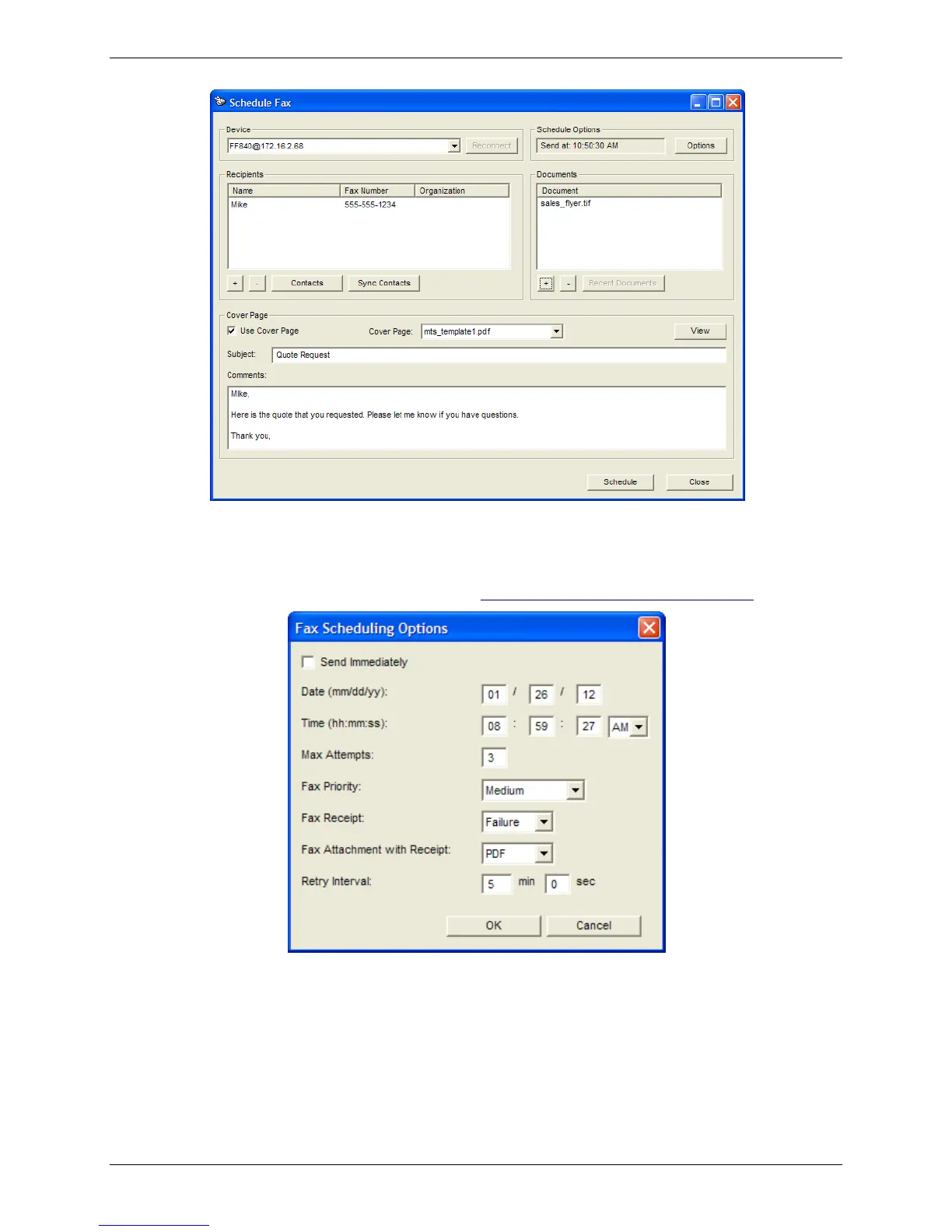
3. Select a FaxFinder from the Device drop-down list. If the FaxFinder unit is unavailable, click
Reconnect to try to re-establish the connection.
4. Click Options to set the fax schedule, maximum number of attempts, priority, retry, and receipt
options. (To change the default settings, refer to Configuring Default Scheduling Options.)
a. Select when you want FaxFinder to send the fax. Send Immediately is the default. To
change this, uncheck Send Immediately and enter the specific Date and Time that you want
to send the fax.
b. In the Max Attempts field, enter the maximum number of times you want FaxFinder to try
to send the fax to a recipient.



 To Next Page