SMSFinder
5
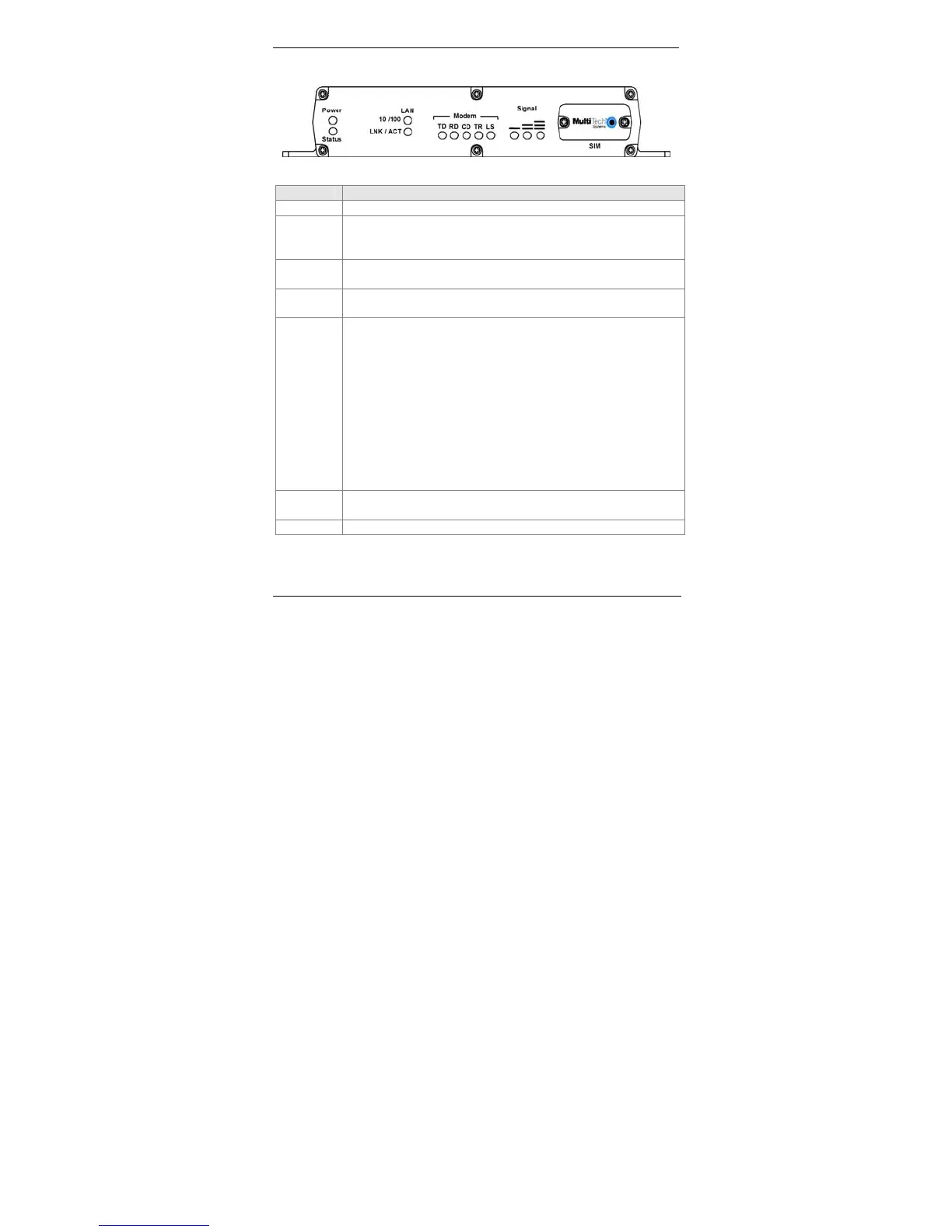
Front Panel
Front Panel LEDs and Other Features
LEDs Description
Power Lights when power is being supplied to the SMSFinder.
Status When functioning normally, the LED blinks. The LED is a
solid light when the SMSFinder is booting up, saving the
configuration, restarting, or updating the firmware.
LAN
10/100
Lights when a successful connection to the 100BaseT LAN
is established. Off when connected at 10BaseT.
LAN
LNK/ACT
Lights when the LAN port has a valid Ethernet connection.
Blinks when it is receiving or transmitting data.
Modem TD Transmit Data. This LED blinks when the modem is
transmitting data to your wireless carrier.
RD Receive Data. This LED blinks when the modem is
receiving data from your wireless carrier.
CD Carrier Detect. This LED lights when the modem
detects a valid carrier signal from a wireless carrier.
TR (Data) Terminal Ready. This LED lights when the
modem is trying to establish a wireless connection.
LS Link Status. This LED flashes when the network
registration is OK.
If the network registration is invalid, the LED will be
On/Off.
Signal Indicates the wireless signal strength. See the Signal
Strength Chart on the next page.
SIM Location of the SIM card.



 To Next Page