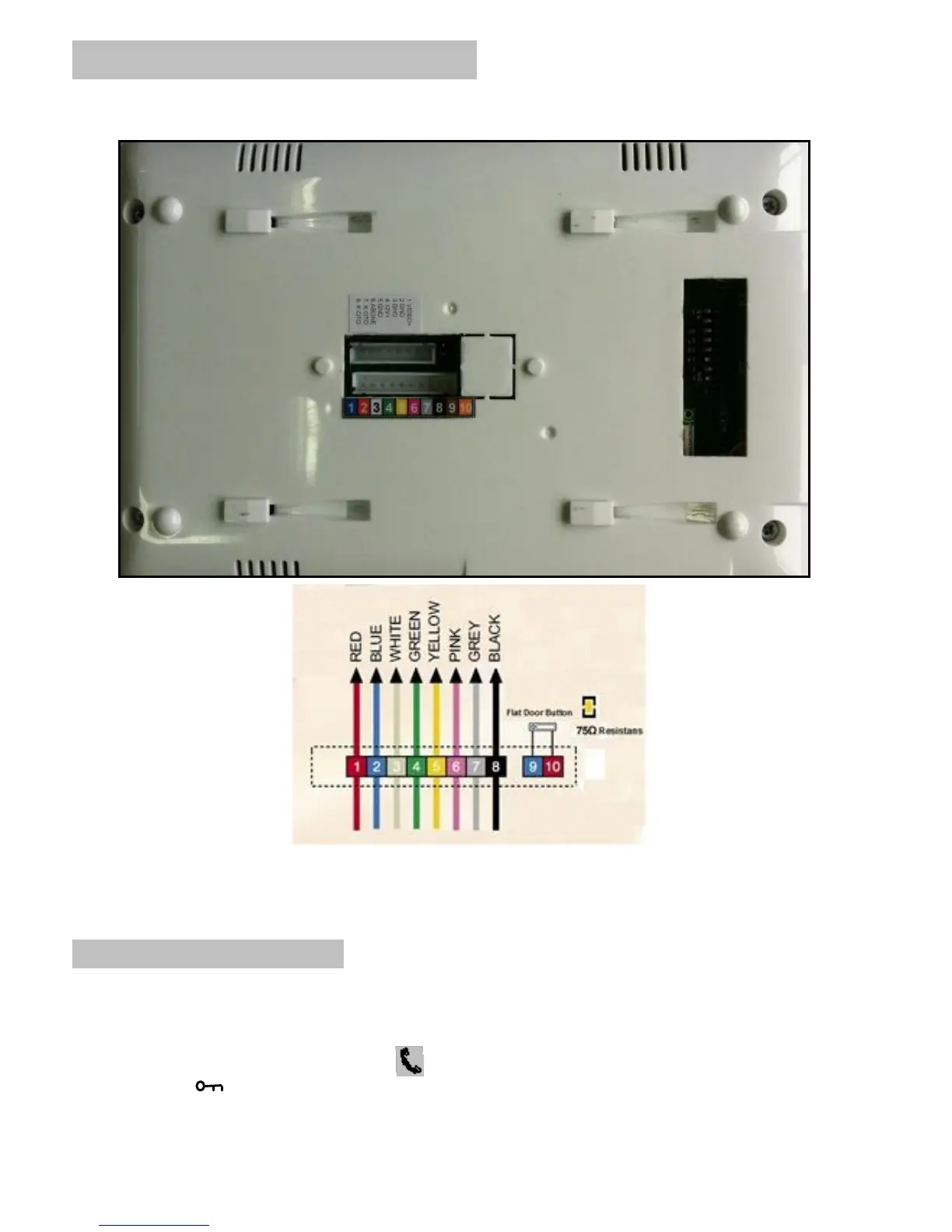
MB-41 DOORPHONE CONNECTION
Note: When needed, please use the 75 ohm terminal jumper to terminate the intercom connection.
How to Use the Product
1. Answering the incoming Calls from Door Panel (Door Entrance):
When there is a call from the Door Panel the video door phone rings and the display of the camera
seen on the monitor. For talking, press ( ) and Answer the Call. The conversation limit is 1 minute.
Press the Key ( ) button to unlock the door.



 To Next Page