EasyManua.ls Logo

MUNBYN ITPP130B - Page 13

MUNBYN ITPP130B
18 pages
Print Icon
To Next Page IconTo Next Page
To Previous Page IconTo Previous Page
Loading...
https://munbyn.biz/130B-FAQ
FAQ
https://munbyn.biz/130B-FAQ
FAQ file, please visit:
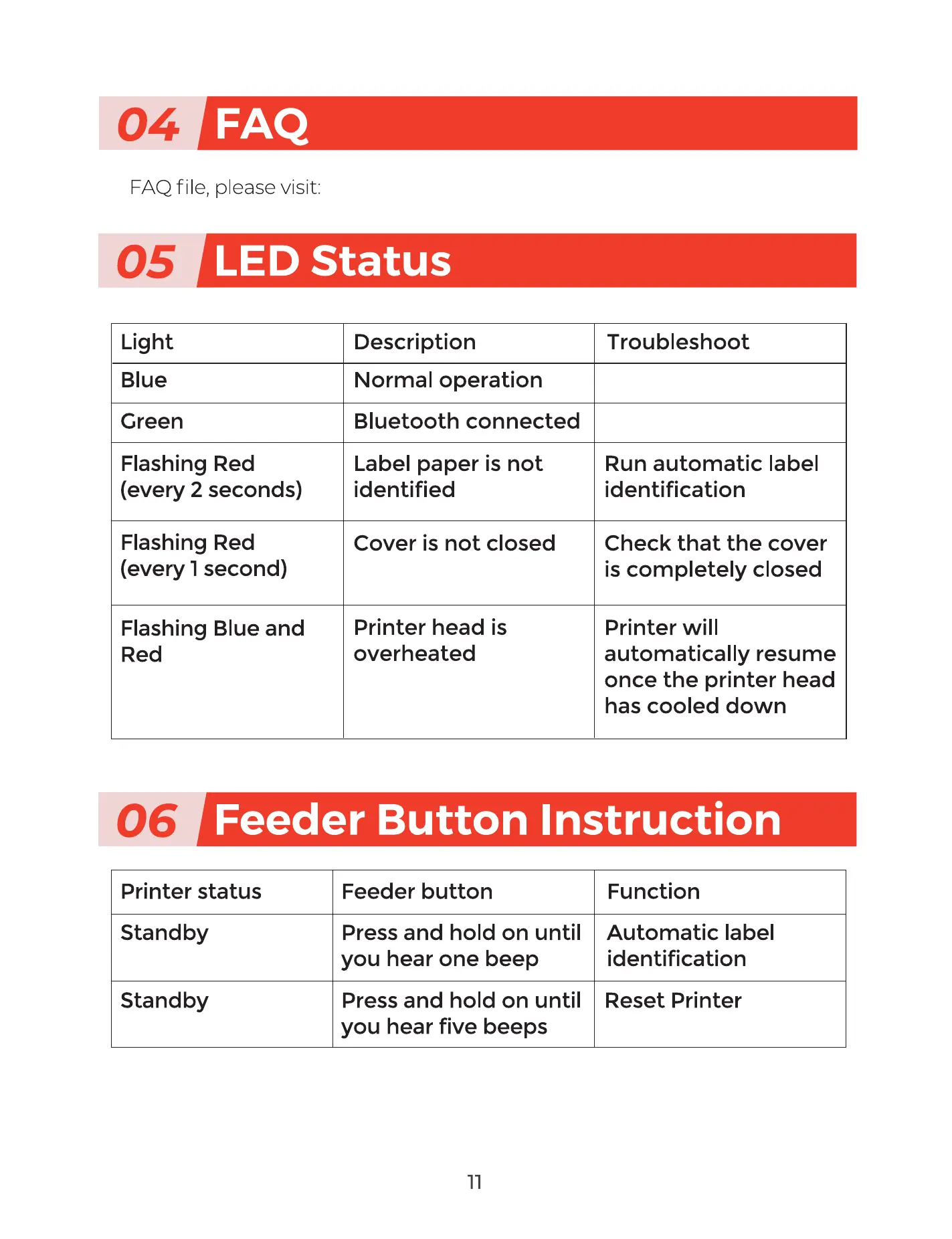
C I LEDStatus
Light
Blue
Green
Flashing Red
(every 2 seconds)
Flashing Red
(every 1 second)
Flashing Blue and
Red
Description
Normal operation
Bluetooth connected
Label paper is not
identified
Cover is not closed
Printer head is
overheated
Troubleshoot
Run automatic label
identification
Check that the cover
is completely closed
Printer will
automatically resume
once the printer head
has cooled down
Cl Feeder Button Instruction
Printer status
Standby
Standby
Feeder button
Press and hold on until
you hear one beep
Press and hold on until
you hear five beeps
11
Function
Automatic label
identification
Reset Printer

Related product manuals