5 Operation
Once you have installed the mp-PM A3 and connected the power
supply and USB data cable you can switch on the plotter.
Important:
Before switching the device on, please ensure that there are no
objects on the writing/plotting area which might prevent the writing
arm from moving freely.
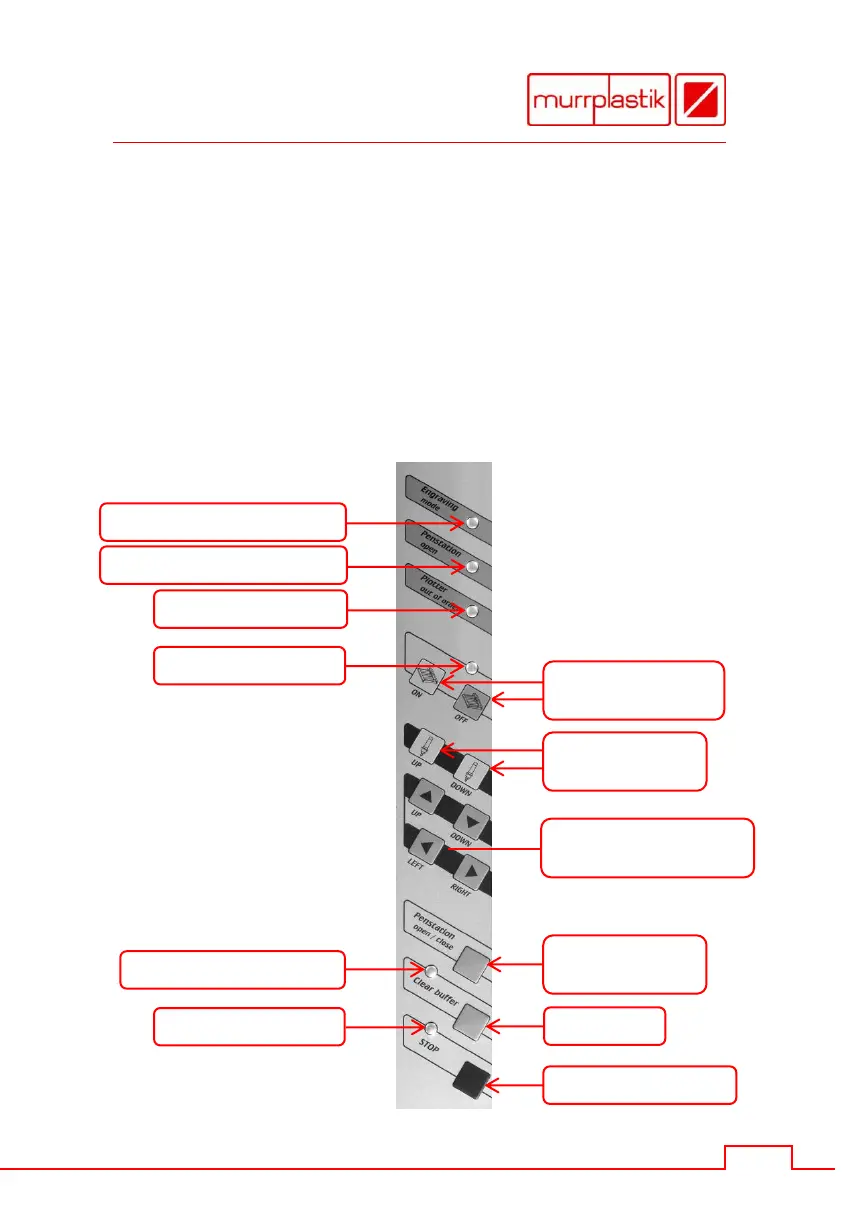
All settings and commands are entered using the control panel.
Switching power on
Switching power off
Open pen station
Close pen station
Raise plotter pen
Lower plotter pen
Moving writing arm in
four horizontal directions
Yellow LED: pen station open
Green LED: engraving mode
Yellow LED: data in buffer


 To Next Page