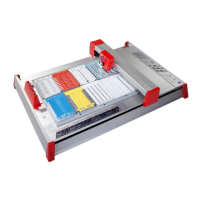
5.1 Control keys
ON / OFF
The 'ON' key is used to activate, the 'OFF' key is used to deactivate the
device. When the plotter is switched on, the writing arm moves to the
top right-hand corner of the labelling area and auto calibration takes
place. The green light comes on when the system is ready for use and
to receive data from the PC.
Clear buffer
If the mp-PM A3 contains data the yellow light will come on. You can
delete this data by pressing the 'Clear buffer' key. To do this the
system must be in stop mode (red light on).
STOP (stop mode)
If the 'stop' key is being activated while the plotter is in action, the job
will pause immediately and the plotter pen will move into the top
right-hand corner. The red light will signal the interruption. Pressing
the key again will calibrate the writing arm and the plotter will
continue with the job. The red light will go out.
Pen station open / close
The 'Pen station open / close' key is used to open and close the Pen
station for inserting and removing plotter pens.
Cursor (Up-Down-Left-Right) / UP - DOWN
By pushing the cursor keys the writing arm can be moved in four
horizontal directions. The 'UP' key and the 'DOWN' key is used to
lower and raise the plotter pen. For this action it is required to set the
plotter in stop mode.
Please note
These key functions are not used for normal operation. They are
intended solely for adjusting settings and carrying out servicing.


 To Next Page
 Loading...