Force is displayed on a scale from 1 to 160 where 160 represents the maximum of 2000g.
Once you have set the desired speed and force, load some vinyl and press the TEST button. Weed the
pattern to determine whether the applied force is sufficient to cut through the top layer and adhesive,
but not so much that it cuts through or deeply scores the release liner.
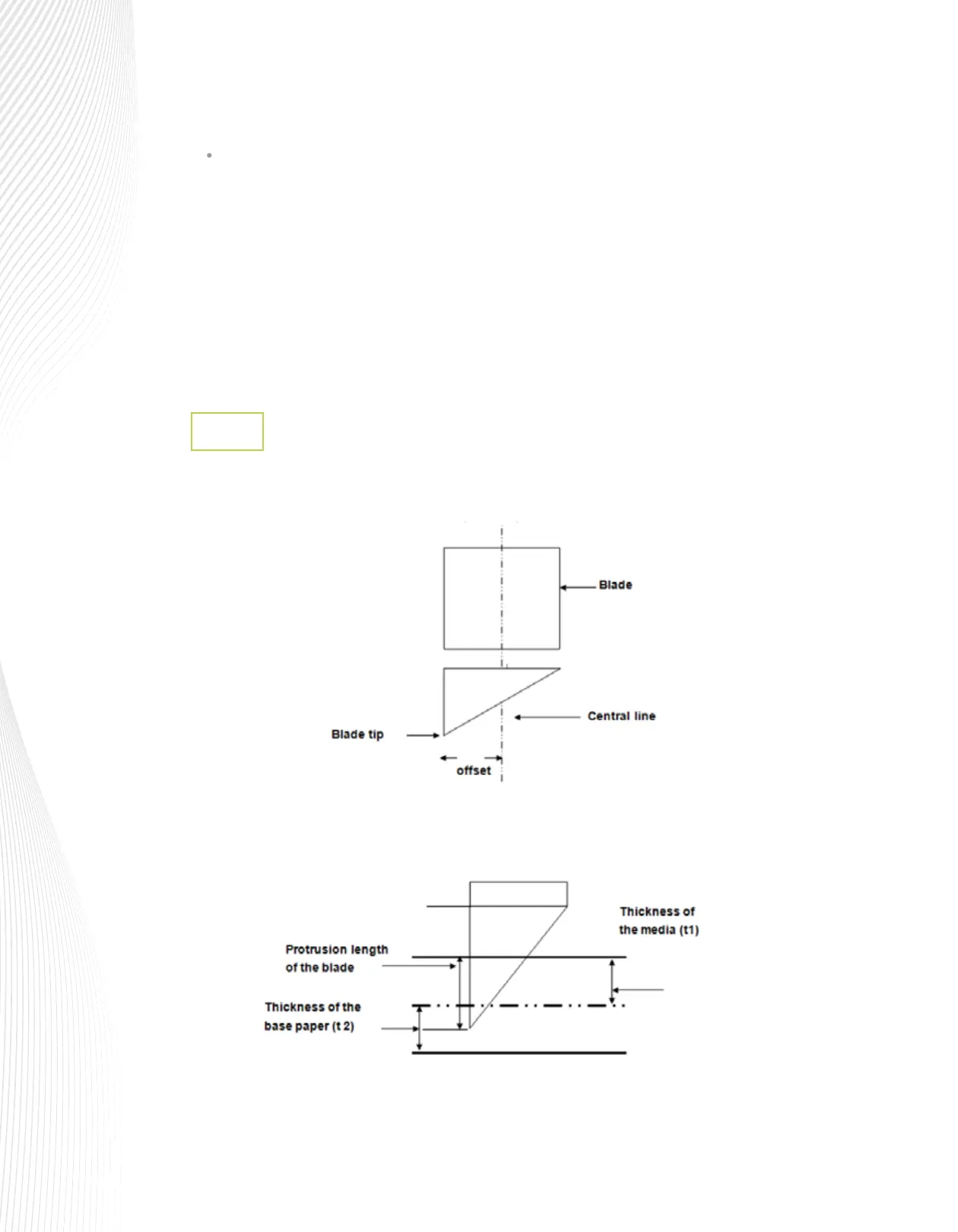
Blade Offset is the distance that the blade tip is displaced from the centerline of the blade:
The settings from 9 through 13 are the fast speeds and you may find that some materials will cut
well at the faster speeds, especially if the shapes are larger and/or simpler.
Blade Offset
2.2.2
Length of Protrusion = t1 + (t2 ÷ 2). For convenience, you may set it at about
0.3 mm – 0.5 mm beyond the blade holder tip.
Protrusion Length of the Blade:



 To Next Page