You will need the name of the network and the password.
Carefully complete the following steps:
1.
2.
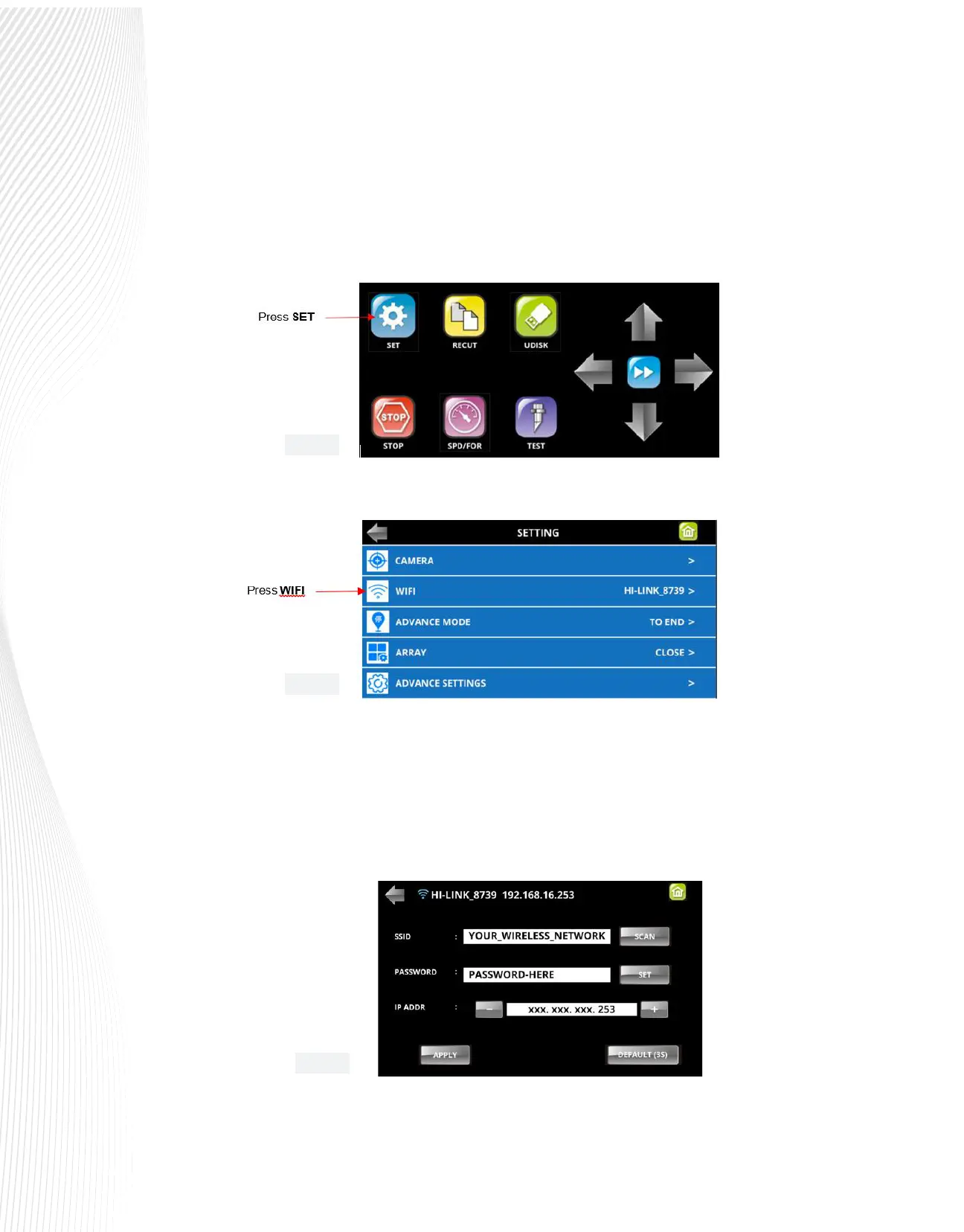
On the Control Panel, press the SET button to access the SETTING menu:
Press the WIFI icon:
3.
4.
5.
In the next screen, press the SCAN button and a list of wireless networks will appear. Select your network
and press APPLY.
Press the SET button and enter your network password. Press OK.
An IP address (IP ADDR) will appear. The rst three sets of values will be obtained from your network. Use
the + or – buttons to set the last digits of the IP ADDR that you wish to use:
Fig. 1.10.5
Fig. 1.10.6
Fig. 1.10.7



 To Next Page