You can change settings by either sliding your nger across a bar or by pressing the + or – buttons to increase
or decrease the parameter. The green slider will change to show the Speed or Force selected, relative to the
minimum and maximum values possible.
Both the Up Speed and Cut Speed are displayed on a scale from 1 to 13:
Force is displayed on a scale from 1 to 160 where 160 represents the maximum of 800g (on the M15 and M24
models) and 2000g (on the M60 model).
Once you have set the desired speed and force, load some vinyl and press the TEST button. Weed the pattern
to determine whether the applied force is sucient to cut through the top layer and adhesive, but not so
much that it cuts through or deeply scores the release liner.
The Muse has the ability to store up to eight combinations of Speed and Force. Refer to Section 2.03.
The settings from 1 through 4 are the slow speeds and should be used when cutting dense dicult
materials.
The settings from 5 through 8 are medium speeds and should be used for easy-to-cut materials, such as
cardstock, vinyl, iron-on transfer, and rhinestone template material.
The settings from 9 through 13 are the fast speeds and are useful for engraving and drawing. You may,
however, nd that some materials will cut well at the faster speeds. You can normally use this higher
range for the Up Speed.
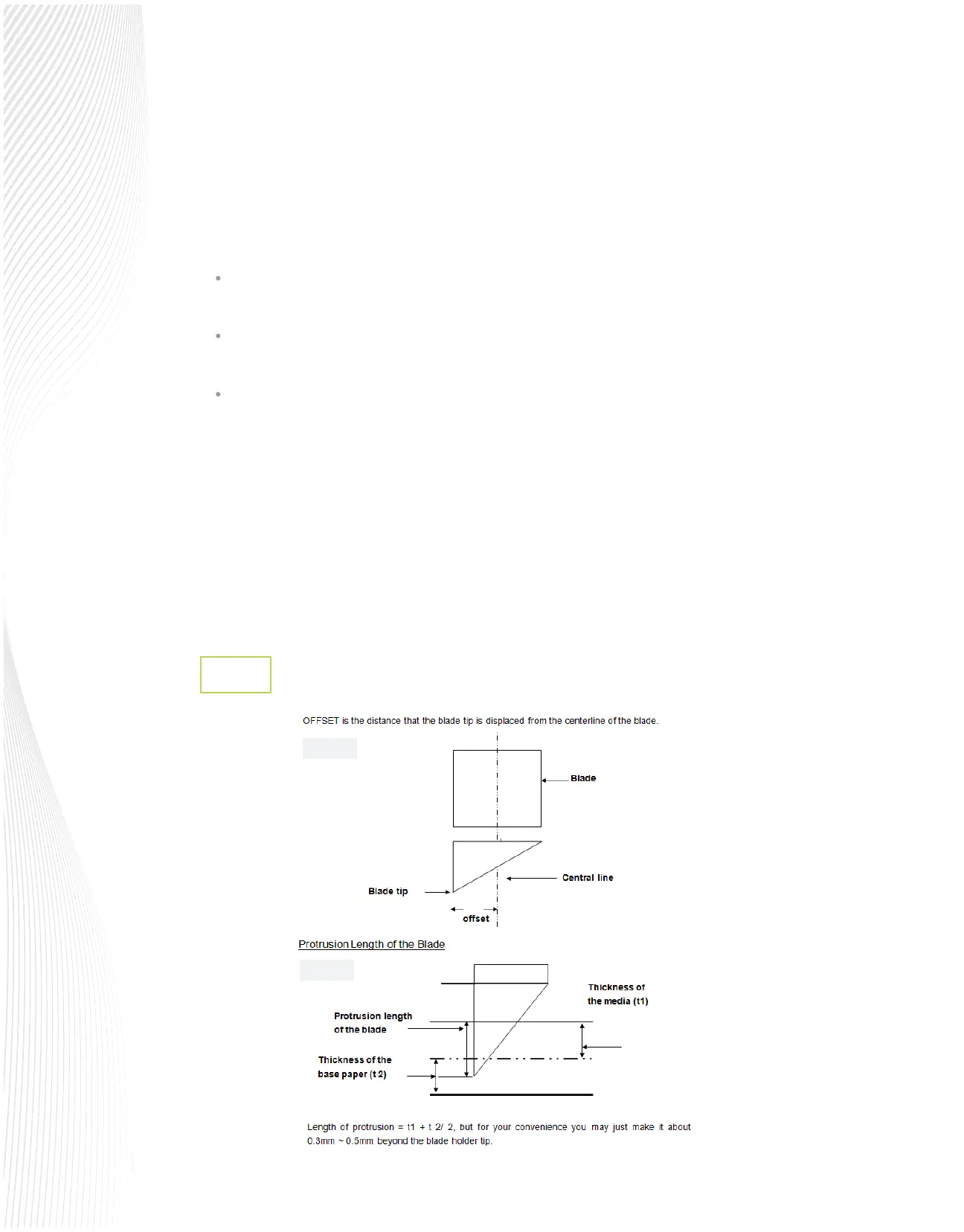
Blade Oset
2.2.2
Fig. 2.2.2
Fig. 2.2.3


 To Next Page
 Loading...
