4.
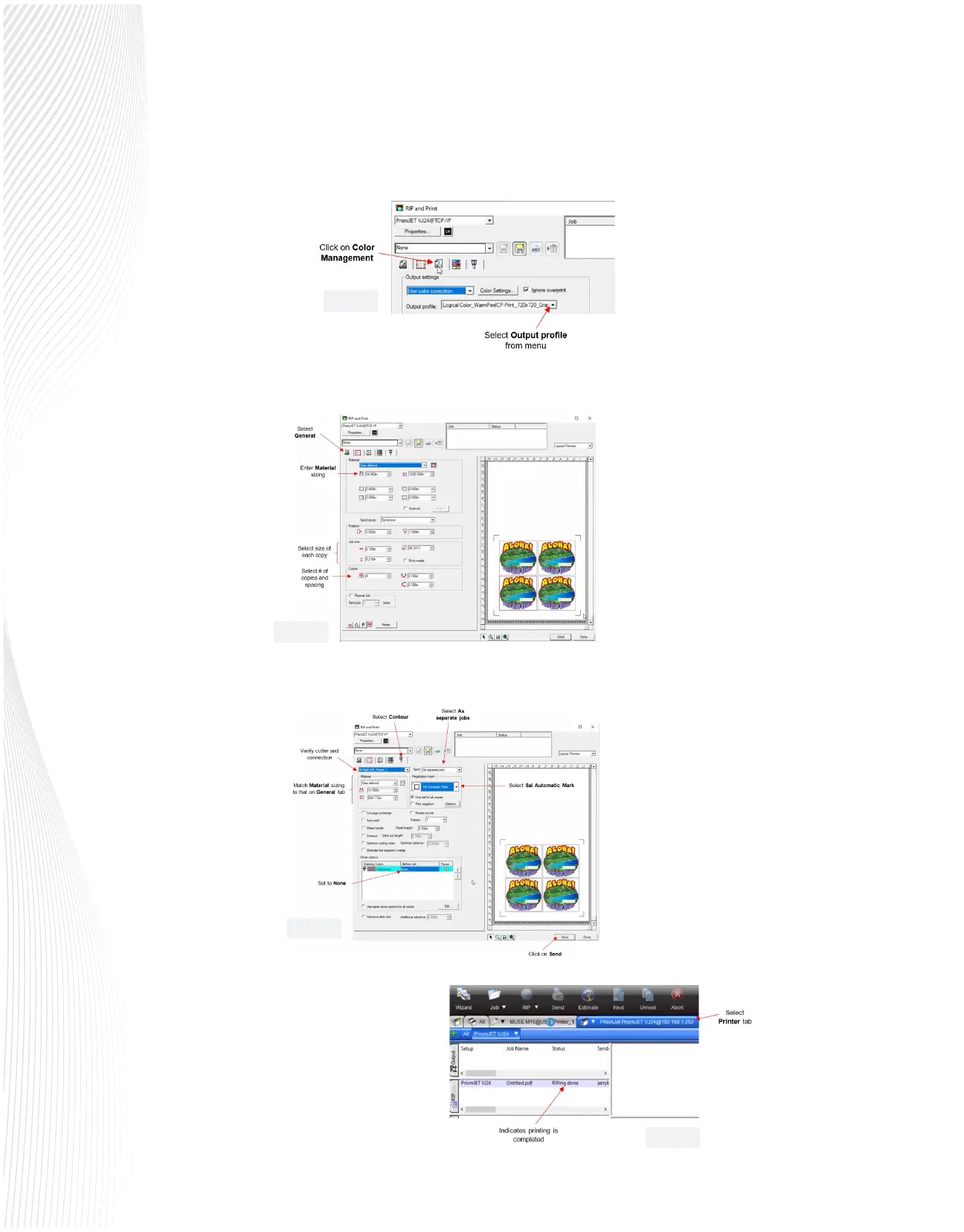
Click on the Color Management tab and select the appropriate Output Prole:
5.
Return to the General tab and select Material size, Job size, and Copies as desired:
6.
Click on the Contour tab and conrm all of the following settings before clicking on Send:
7.
Click on Send and the job will be sent
to the printer. In the Job Production
window, the Printer queue can be
accessed to monitor the progress of
the printing:
Fig. 3.3.4
Fig. 3.3.5
Fig. 3.3.6
Fig. 3.3.7



 To Next Page