III. WIFI remote control
This part is for unit with WIFI control only
1. Control the unit through WIFI signal
2. The binding operation for the unit and mobile phone.
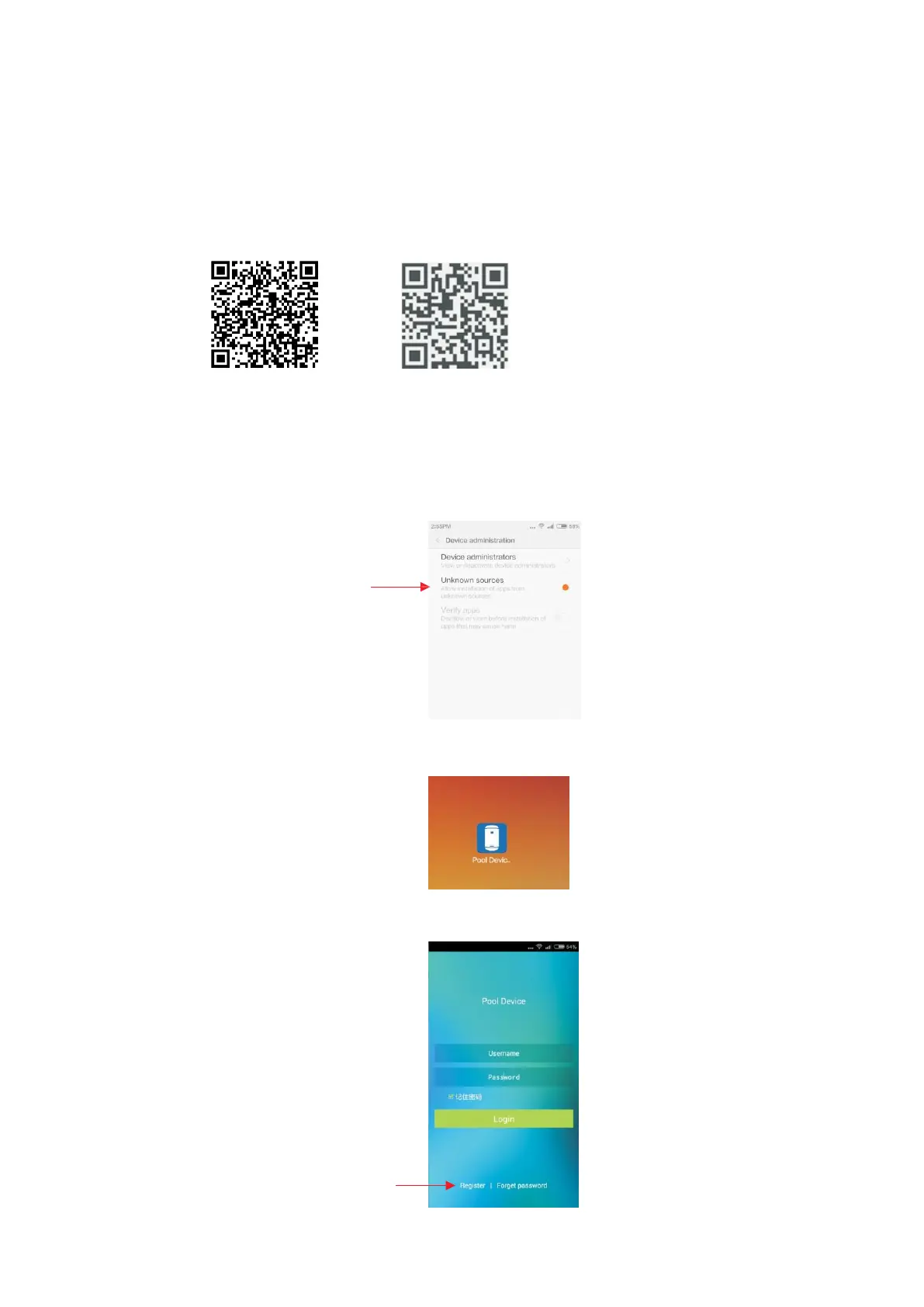
2. 1 Download the software with QR code below.
The android version The IOS version
2. 2 Connect the mobile to mobile suite (e.g. 360 Mobile Suite) to install the software
or click on the downloaded APK directly to install the software. If it is not installed
succefully, please check the security settings of your mobile to see if it allows to
install unknown apps. If not, please set it to be allowed.
Open “Unknown sources”
2. 3 Launch the Software. After finish installation, click on the desktop icon “Pool
Device” to launch the software.
2. 4 User registration. For the first time to use "Pool Device", it require users to register.
Click on "Register" to enter
registration interface.



 To Next Page