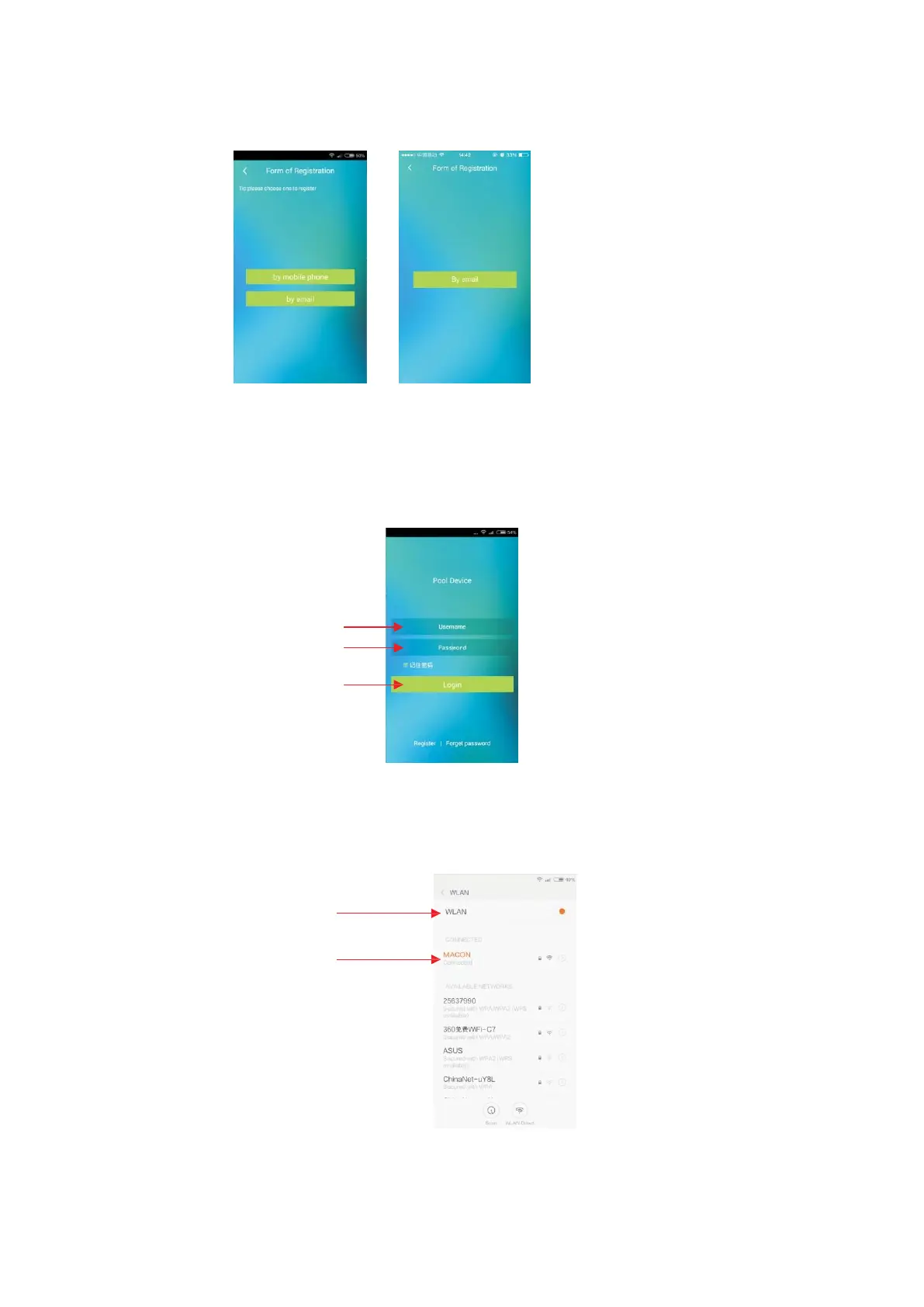
2. 5 Chinese users can select to register "by mobile phone" or "by email ". For other users,
please select “Form of Registration” and operate to register according to instructions on the
interface. IOS user register account only by email.
Android IOS
2. 6 User login. After registration, the software will skip to login interface, enter
correct “Username” and “Password” to login.
Enter correct username
Enter correct password
Click on Login icon to login
2. 7 Device binding.The software will prompt to bind the device for the first time to
login, steps to bind the device are as follows:
2. 7.1 Mobile needs to be connected to internet through wifi during device binding.
Open "WLAN"
Connect to WIFI network



 To Next Page