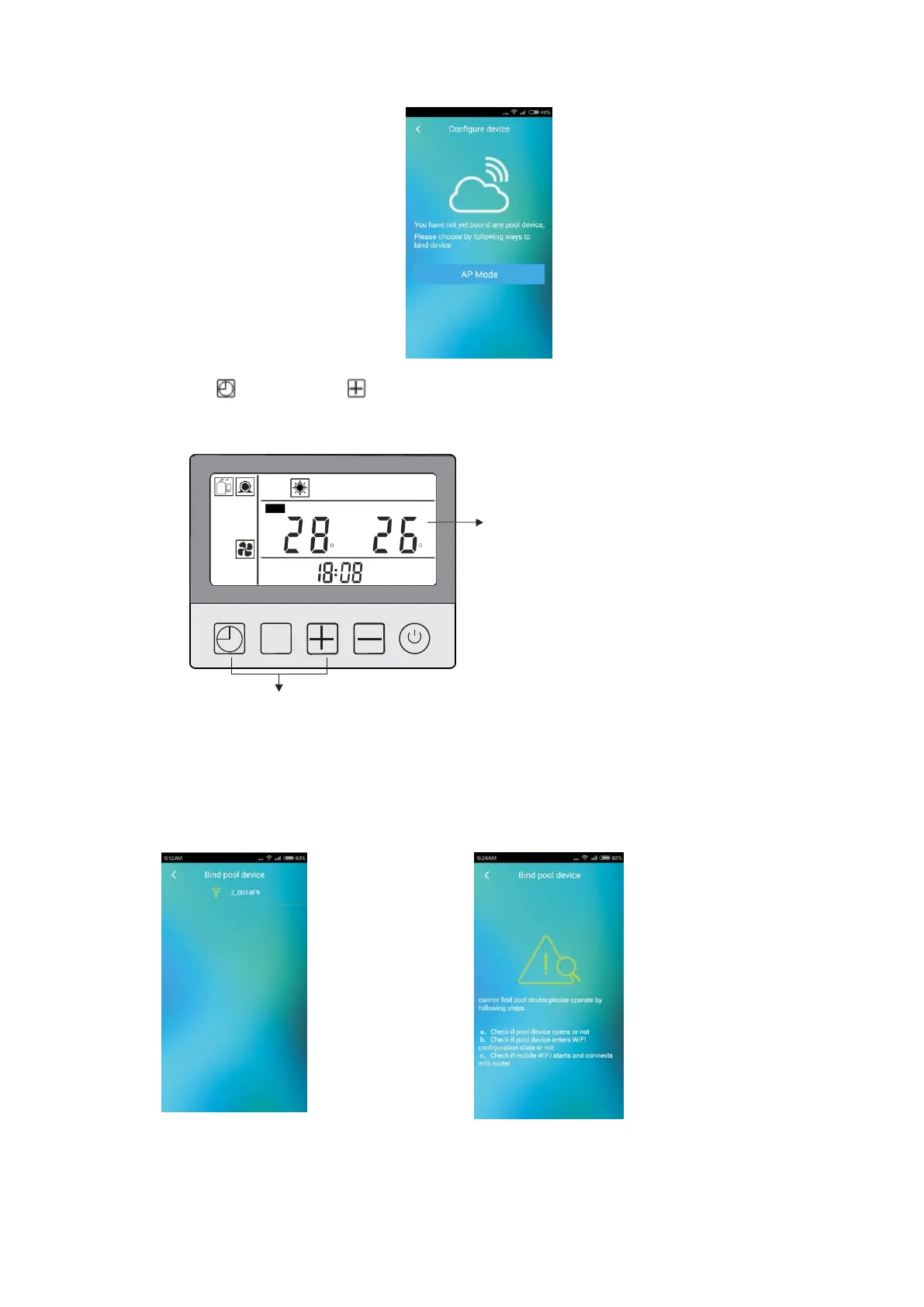
2. 7.2 After login the software, it will enter “configure device” interface if water heater has
not been bound. Click “AP Mode” to enter “bind pool device” interface.
2. 7.3 Long press button and button at the same time till a sound “beep” is heard,
then there’s symbol “h” fast flickers on the display controller, which means the heat
pump enter WIFI matching state.
SET
h
fast flicker
C C
M
Long press at the same time till a sound “beep” is heard
2. 7.4 For android, the software will search for the Wifi network name of the pool heater
device after entering “bind pool device” interface. If the Wifi network name of pool
heater is not shown, please repeat Step 2.7.3, and drag and slide down on the interface,
the software will search the Wifi network name again.
Wifi network name
of water heater
searched out by
the software.
If Wifi network name
of the pool heater
is not shown, please
drag and slide down
to refresh display.



 To Next Page