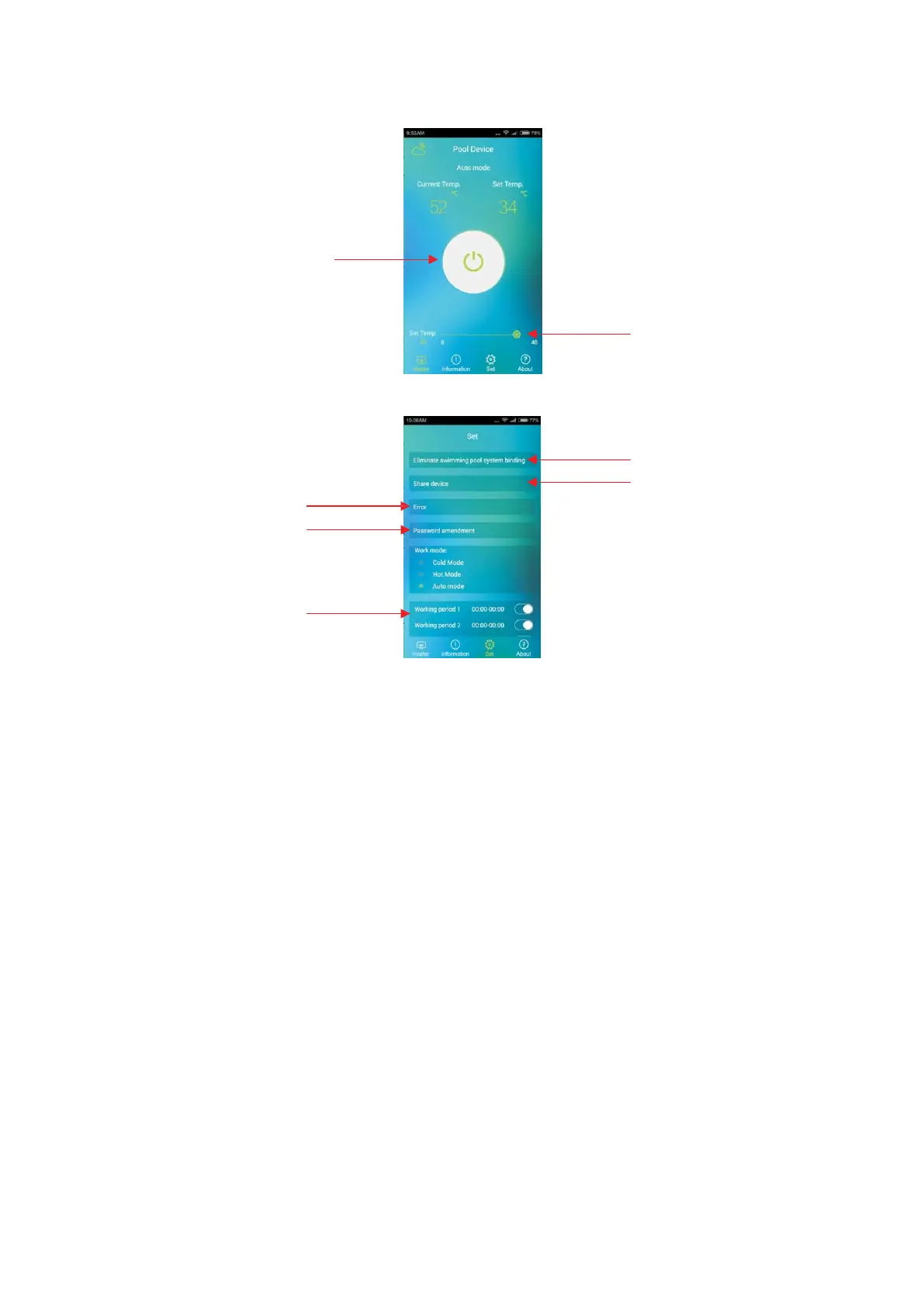
2. 8 “Pool Device” Operation Interface Introduction
After successful device binding, login the software to enter “Pool Device” operation
interface. Click on “Heater” icon to enter “Heater” operation interface.
Click on the “SWITCH” icon to turn
ON and OFF the Pool Device.
2. 9 “Set” Operation Interface Introduction
Drag this “SWITCH” icon
forward or backward to
adjust hot water temperature.
Click and enter to check the
device error information.
Click and enter to modify
user password
Click to Eliminate swimming
pool system binding.
Click and enter to share the
device with other user.
Here to set timing on/off
of the device



 To Next Page