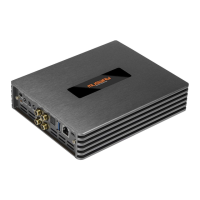
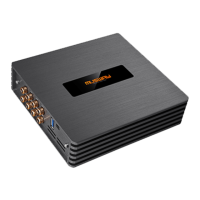
Need help?
Do you have a question about the Musway M6v3 and is the answer not in the manual?
Technical details for voltage, current, and fuse ratings.
Specifications for distortion, bandwidth, S/N ratio, damping factor, and output power.
Details on RCA outputs for signal transmission.
Specifications for the DSP, including crossover, EQ, and time alignment.
PC connection, software, and display requirements.
Physical dimensions and net weight of the device.
List of included accessories and components with the amplifier.
Essential safety guidelines for operation, installation, and handling to prevent hazards.
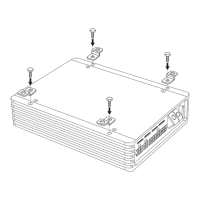
Specific safety advice for drilling, cable routing, and securing components during installation.
Advice on avoiding vehicle damage, ensuring ventilation, and proper cable management.
Preparatory steps and considerations before making electrical connections.
Proper installation of fuses and connecting power supply terminals.
Explanation of the system connector for inputs, outputs, and remote signals.
Guidelines for connecting battery terminals and REM IN/OUT signals.
How to select power-on mode and adjust input sensitivity for optimal performance.
Understanding the CLIP LED and using the AUX IN RCA inputs.
Utilizing DSP processed outputs and special inputs like Optical and Bluetooth.
Connecting to a PC via USB for DSP software configuration and updates.
Key considerations before configuring inputs, speakers, and amplifier settings.
Power output specifications for stereo and bridged modes across channels.
Steps for installing the DSP software and connecting the amplifier to a computer.
Sequence of operations for initial setup, including power, speaker, and input configuration.
Overview of the GUI, signal routing, and high-level mixing features.
Detailed controls for equalizer, filters, time alignment, and channel mixing.
Procedure to change amplifier inputs from high-level to low-level via jumper.
Information on adapter cable sets for connecting low-level RCA signals.
Diagnosing and resolving issues related to power supply, connections, and fuses.
Troubleshooting absent audio signals or malfunctioning channels.
Addressing distortions, lack of bass/stereo, and unwanted noise in audio output.
Resolving issues causing the amplifier to enter protection mode or overheat.

 To Next Page
 General