- 16 -
18.APPS
Several applications can be found in this menu:
I STOPWATCH
From the stopwatch screen
1. Tap the touch key to start the stopwatch
2. Tap again to pause.
3. To restart the stopwatch, make sure that the timer is on pause and
press and hold the the toxuch key.
I FIND MY PHONE
To enjoy this feature, make sure ZeTrack+ is connected to your smart-
phone via Bluetooth. Enabling the Find my phone function will make
your phone ring and help you find it.
1. Tap the touch key to start
2. Tap again to stop the searching mode.
To quit the Apps menu, access to the exit door interface and tap and hold the touch key.
i
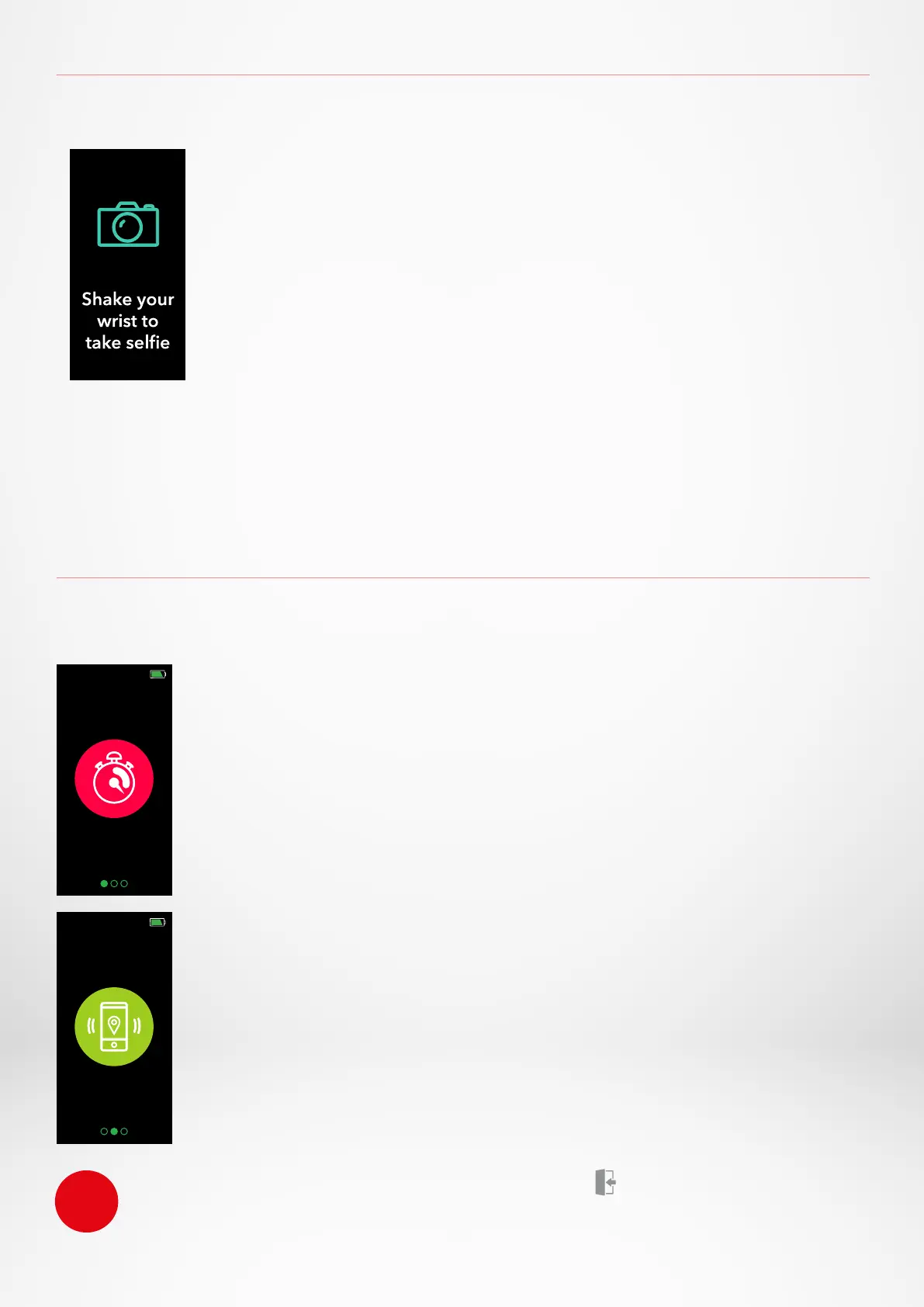
17.CAMERA REMOTE
This feature is useful for group photos or selfies.
1. Open the MyKronoz App
2. Tap on Settings tab
3. Select Camera
4. Move your wrist to release the camera shutter
As soon as you open the camera from the MyKronoz App, a message
will pop up on the ZeTrack+ screen to confirm that the feature is enabled.
Just shake your wrist to launch the counter and take a successful photo. This feature only
works if you open the camera from the MyKronoz App. To quit the Apps menu, access to the
exit door interface and hold down on the touch key.


 To Next Page