36 NAB EFTPOS User Guide
PRE-AUTHORISATION COMPLETION
The Pre-Authorisation Completion process looks up the
original pre-authorisation record, confirms the transaction
value and puts the pre-authorisation payment through as a
transaction.
A Pre-Authorisation Completion transaction should be
performed within 7 days from when the Pre-Authorisation
was processed. The value amount is generally held for up to
7 days on pre-authorisation, depending on the cardholder’s
financial institution.
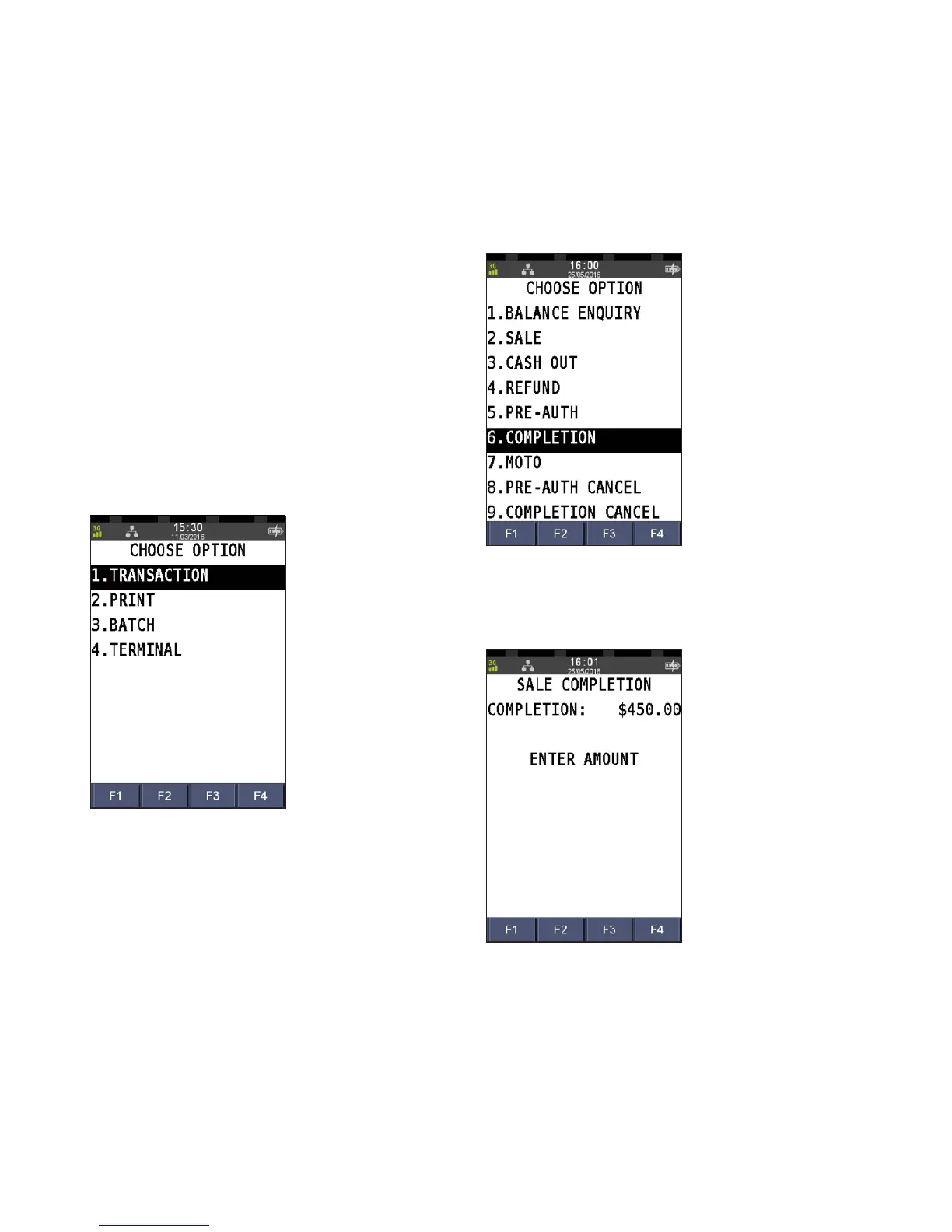
Step 1
Press the Menu key
Step 2
Press 1 to select Transaction
Step 3
Press 6 to select Completion
Step 4
Enter the pre-authorisation completion amount and press
ENTER


 To Next Page