8
【Replacement of battery】
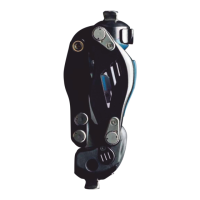
Main body of
ALLUX
TM
NE-Z41
Backup battery pac
NE-SB01
If the battery life is coming to an end,
contact to your prosthetist. The
battery replacement cycle is normally
2 years. (Periodic inspection period)
When the life of the backup battery pac
is coming to an end, purchase a new
one and replace it.
9
Consult your prosthetist for replacement.
The following parts can be purchased from us. Inquire your prosthetist for
replacement.
The following parts can be replaced by us. Send it back to us by your prosthetist.
【Replacement of cover, pad, and stopper】
Extension rubber stopper
N- G012
Front link pad
NE-FC01
Front link ST pad
NE-FC03
Front cover pad
NE-FC02
9
Troubleshooting
Maintenance Parts
8
Maintenance Parts
Troubleshooting
8.1 List of maintenance parts
During periodic inspection, the following maintenance parts are used.
When you want to purchase replacement parts for maintenance or have to
questions about maintenance of ALLUX
TM
,contact your prosthetist.
DO NOT undertake any maintenance actions on the device.
The lifetime of the device is 6 years, depending on the activity level of the patient.
The actual useful life is ultimately determined by the prosthetist upon request of
the device’s owner.
While the device is in use and after the end of the period of use, its functionality
and operating condition should be assessed by the prosthetist periodically with a
minimum frequency of 2 years.
9.1 Troubleshooting list
Should you encounter any issues in the use of your ALLUX
TM
, please check the
following list. If you are encountering an issue not listed in the below list, please
contact your prosthetist.
■The backup battery pac is a Lithium ion battery. Do not
discard the battery with general household garbage.
Thrown away short-circuits of the battery may cause
ignition and release of fume.
NOTICE
■Do not apply a commonly-sold lubricant.
Such lubricant may impede a smooth bending of ALLUX
TM
.
NOTICE
26
ALLUX
TM
User’s Guide
Issue Check item
So
lution
Your ALLUX
TM
wont charge. Is the battery charger
connector/AC adapter
securely connected?
Check the connection.
(See 7.1.2)
Does vibration sound when
connected to the battery charger?
If the vibration does not sound, it may
be defective. Discontinue use, and
contact the prosthesis your prosthetist.
Is ALLUX
TM
hot? Let your unit cool and then recharge it.
(See 7.1)
Any issue not outlined above Contact your prosthetist.
Unable to change modes with the
Application Remote Control.
Are you pressing the button within
5 minutes of flexing and extending
ALLUX
TM
or removing your body
weight and then applying it?
Flex and extend ALLUX
TM
or
removing your body weight and
then applying it? , assume safe
posture, and use the Application
Remote Control. (See 4.1)
Are you in safe posture when
operating via the Application
Remote Control?
Knee locks, or is in a free state. Did the vibration sound just before
ALLUX
TM
locked or went into a free
state?
If the unit is hot, please wait until it
cools. (See 6.2.5)
Check that setting for sagety lock
adjustment is too sensitive
Contact your proshesist.
Is the battery capacity is sucient? Please charge your unit or connect
the backup battery pac. (See 6.2.4)
Any issue not outlined above
Contact your prosthetist.


 To Next Page