GB
5
BEFORE OPERATION
Chapter 1 Introduction
TYPES OF DISCS
CD-R AND CD-RW DISCS
For recording and playback you can use the CD-R and CD-RW discs with the logos shown below.
With a CD-R disc, you can add recordings until the disc is full, but you cannot erase any of them.
With a CD-RW disc, you can add and erase recordings as needed.
• Depending on the conditions of
the surface of CD-R/RW disc (e.g.
dirt, scratch, fingerprint, etc.), the
head part of the first recorded
track may be cut off.
ACCESSORIES
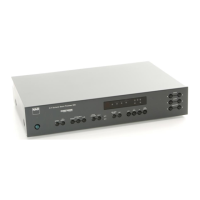
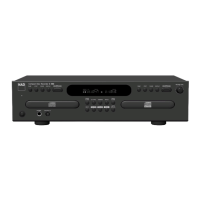
The package contains
the following items.
• CDR disc (1)
• Audio cords (2)
• Coaxial digital cable (1)
• Remote control (1)
• Batteries (2)
• Owner’s manual (1)
Insert the dust cap in the DIGITAL IN
(OPTICAL) jack on the front panel
when not using the jack.
Disc Recording Playback
CD-R Can be recorded only
incrementally.
When finalized, can be played
on conventional CD players.
CD-RW Can be recorded and erased as
needed.
This type of disc can only be
played back on CDRW
compatible players. Even when
finalized the disc can be erased
as needed.
CONVENTIONAL AUDIO CDS
Discs with the following logo can be played back on this unit, but no recordings can be made
on them.
When you load a CD-R. CD-RW or any other disc that is not compatible with this unit, “ERROR” may
appear on the display to warn you that the disc cannot be used with this unit.
NOTE
• Do not use irregular shaped CDs (example: heart-shaped, octagonal ones). It may result in malfunction.
• Do not attach any seal or label to either side (the recordable side or the labelled side) of a CD-R/RW
disc. It may cause malfunction.
• The unit may not play a CD-R/RW disc that is recorded on personal computers or some kinds of CD-
R/RW recorders because of differences in recording platforms.
• Do not use a CD-R/RW disc which contains non-audio data or computer files.
• Trouble may occur in this unit if a CD-R/RW disc with dirt or scratches is used. In such case, refer to
“ALERT MESSAGES” on page 28.


 To Next Page