EasyManua.ls Logo

NAD HTR-2 - User Manual

NAD HTR-2
60 pages
Print Icon
To Next Page IconTo Next Page
Loading...
ENGLISHFRANÇAISDEUTSCHESPAÑOLITALIANO
PORTUGUÊS
SVENSKA
HTR 2
LEARNING REMOTE CONTROL
®

Other manuals for NAD HTR-2

Question and Answer IconNeed help?

Do you have a question about the NAD HTR-2 and is the answer not in the manual?

Summary

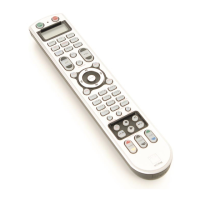
Overview of the HTR 2

Getting Familiar with the HTR 2

Device Selector Keys

Explains the role and organization of the eight device selector keys on the remote control.

Control Keys

Details the function keys and their learning capabilities for operating various components.

Color Coding

Explains how color coding links device selector keys to function keys for intuitive operation.

Learning Codes from Other Remotes

Cancel Operation

Describes the procedure to cancel the remote learning process if needed.

Library Mode

Details entering and using library mode for pre-programmed component tables.

Digit Keys

Explains the use of digit keys for directly selecting pre-programmed tables.

Remote Control Functions

Cursor and Navigation Keys

Details using Cursor Up/Down for table cycling and Enter for confirmation.

Display and Punch-Through

Explains using Display key for reference and Punch-Through for retaining functions across modes.

Macro Commands

Copy Command

Describes how to copy commands from one key to another on the HTR 2 remote.

Recording Macros

Provides steps to record and store macro commands for automating sequences.

Advanced Features

Macro Execution and Time-Out

Details executing recorded macros and setting key illumination time-out.

Factory Reset

Explains how to perform a factory reset to restore default settings and clear learned data.

Modes and Tables

Delete Mode

Explains entering and using Delete Mode to remove learned commands from keys.

Summary of Functions and Tables

Provides an overview of functions and lists supported HTR 2 component tables.

Summary

Overview of the HTR 2

Getting Familiar with the HTR 2

Device Selector Keys

Explains the role and organization of the eight device selector keys on the remote control.

Control Keys

Details the function keys and their learning capabilities for operating various components.

Color Coding

Explains how color coding links device selector keys to function keys for intuitive operation.

Learning Codes from Other Remotes

Cancel Operation

Describes the procedure to cancel the remote learning process if needed.

Library Mode

Details entering and using library mode for pre-programmed component tables.

Digit Keys

Explains the use of digit keys for directly selecting pre-programmed tables.

Remote Control Functions

Cursor and Navigation Keys

Details using Cursor Up/Down for table cycling and Enter for confirmation.

Display and Punch-Through

Explains using Display key for reference and Punch-Through for retaining functions across modes.

Macro Commands

Copy Command

Describes how to copy commands from one key to another on the HTR 2 remote.

Recording Macros

Provides steps to record and store macro commands for automating sequences.

Advanced Features

Macro Execution and Time-Out

Details executing recorded macros and setting key illumination time-out.

Factory Reset

Explains how to perform a factory reset to restore default settings and clear learned data.

Modes and Tables

Delete Mode

Explains entering and using Delete Mode to remove learned commands from keys.

Summary of Functions and Tables

Provides an overview of functions and lists supported HTR 2 component tables.

NAD HTR-2 Specifications

General IconGeneral
Control TypeInfrared (IR)
Power SourceBattery
Battery TypeAAA
Number of Batteries2
TypeRemote Control
CompatibilityNAD

Related product manuals