EasyManua.ls Logo

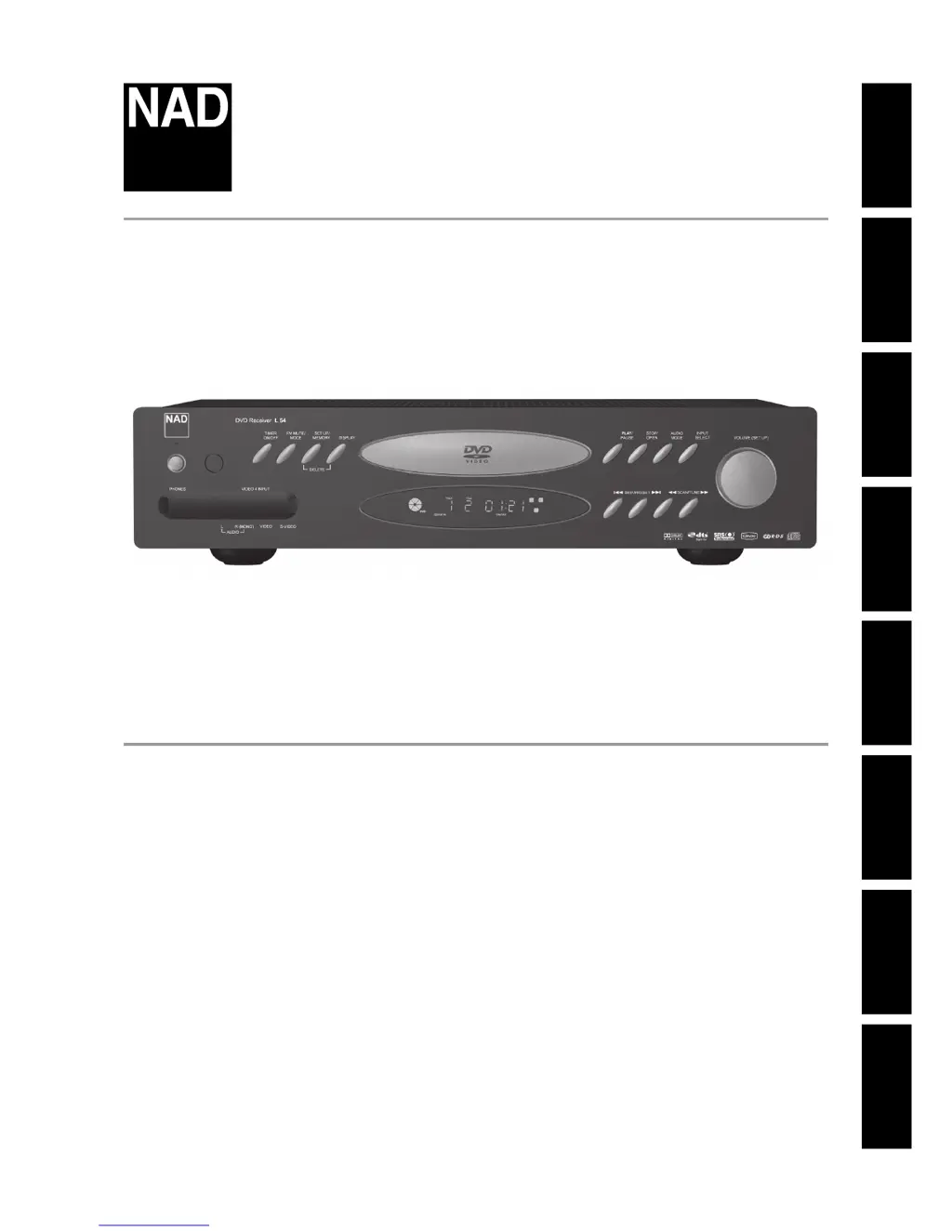
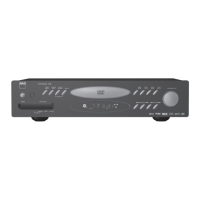
NAD L54 - User Manual

NAD L54
32 pages
Print Icon
To Next Page IconTo Next Page
Loading...
ENGLISHFRANÇAISDEUTSCHNEDERLANDSESPAÑOLITALIANOРУССКИЙSVENSKA
®
Owners Manual
Manuel d’Installation
Bedienungsanleitung
Gebruikershandleiding
Manual del Usuario
Manuale delle Istruzioni
Инструкция по эксплуатации
Bruksanvisning
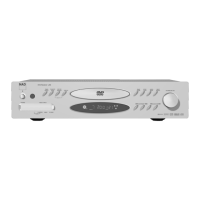
L 54
DVD Receiver
ENGLISHFRAAISDEUTSCHNEDERLANDSESPAÑOLITALIANOРУССКИЙSVENSKA

Table of Contents

Other manuals for NAD L54

Questions and Answers

  • V
    vperezAug 17, 2025
    How to fix NAD L 54 when it does not respond to the HTR 4 remote control?
    • R
      rpayneAug 17, 2025
      If the L 54 does not respond to the HTR 4 remote control, check the batteries in the remote to ensure they are not flat or incorrectly inserted. Also, ensure there is a clear line-of-sight from the remote to the L 54 by checking for any obstructions in the IR transmitter window on the remote or the IR receiver window on the L 54. Bright sunlight or ambient light on the L 54 front panel may also cause interference; try reducing the sunlight or room lighting.
  • S
    Sean RossAug 20, 2025
    What to do if NAD L 54 does not respond to front panel commands or remote control?
    • P
      Patrick EdwardsAug 20, 2025
      If the L 54 does not respond to front panel commands or the remote control, it may be due to a microprocessor error. Power down the L 54 via the front panel Power switch and unplug it from the AC outlet. If the L 54 may have overheated, wait five minutes, reconnect, and power it up.
  • K
    Kimberly GibbsAug 23, 2025
    Why is there no sound from all channels on my NAD Receiver?
    • M
      Michael JonesAug 23, 2025
      If there is no sound from all channels, it may be due to the AC power being unplugged. Check the AC cable connection and the outlet. It could also be that the power is not switched on, or the outlet itself has no power.
  • M
    Mary ClarkAug 26, 2025
    What to do if there is no picture on my NAD L54 Receiver?
    • P
      patricia98Aug 26, 2025
      If there is no picture, ensure that the TV is set to receive the DVD signal. Select the appropriate video input mode on the TV so that the picture from the DVD player appears on the TV screen output. Also, check that the video cable is securely connected into the jacks and that the connected TV power is turned on.
  • B
    Brendan VillanuevaAug 28, 2025
    Why is there no sound from some channels on my NAD L54?
    • A
      adamlaraAug 28, 2025
      If there is no sound from some channels, check the cables for any faults or if they are missing. Verify the 'LEFT' or 'RIGHT' channel at 'Audio Mode' is not set to '-80'. Check the 'Audio Mode' menu for the Left or Right channel. Also, inspect the power amp or speaker connections for any faults; check the power amp, cabling, and speakers.
  • C
    Carol YangAug 31, 2025
    What to do if the internal DVD player does not start playback on my NAD Receiver?
    • H
      Heather MerrittAug 31, 2025
      If the internal DVD player does not start playback, make sure a disc is inserted and check that the DVD or audio CD indicator in the DVD display is lit. Ensure that a playable disc is inserted, verifying the disc type, color system, and regional code. Place the disc with the playback side down and correctly inside the guide on the disc tray. If a menu is on the TV screen, press SETUP/MEMORY to turn off the menu screen. Also, ensure the disc is clean.
  • J
    James RyanSep 2, 2025
    Why is there no sound from the Subwoofer on my NAD L54 Receiver?
    • S
      Sarah ByrdSep 2, 2025
      If there is no sound from the subwoofer, ensure the subwoofer is powered on and properly connected. Check the subwoofer's AC outlet and connections. Also, verify that the subwoofer level is not set too low (-12); correct the subwoofer level by adjusting the 'SUB' button at HTR 4.
  • K
    Keith ThomasSep 5, 2025
    How to reset parental control on NAD L54?
    • J
      Jacqueline WattsSep 5, 2025
      If the parental control cannot be changed, ensure that the correct password is entered. If the password was forgotten, set the L 54 to factory default settings: 1. Place the L 54 into AM mode. 2. Quickly press the three front panel buttons: “PLAY/PAUSE”, then “STOP/OPEN”, then “DISPLAY,” holding the “DISPLAY” button for more than 7 seconds. The L 54 will switch itself off then back on to DVD mode. Note: The default password is 1234.
  • M
    Michael LewisSep 8, 2025
    What to do if there is no sound when SRS is ON on my NAD L54 Receiver?
    • S
      Shari KirkSep 8, 2025
      If there is no sound when SRS is ON, verify that SRS is set to ON at the 'AUDIO MODE' setting. If it is set to 'OFF', change it to 'ON'.
  • H
    Heather DavisSep 12, 2025
    Why the internal DVD player does not work on my NAD Receiver when the POWER is ON?
    • A
      Amber LangSep 12, 2025
      If the power is ON, but the internal DVD player does not work, it may be because no disc is inserted. Insert a disc and check that the DVD or audio CD indicator in the display is illuminated.

Summary

IMPORTANT SAFETY INSTRUCTIONS

Product Warnings and Regulatory Information

Contains specific warnings, cautions, FCC, and Industry Canada information.

Customer and Environmental Notes

Includes UK customer advice and environmental protection notes.

INTRODUCTION

GETTING THE MOST FROM THE L 54

Guidance on maximizing the use and understanding of the L 54 receiver.

UNPACKING AND SETUP

Instructions for unpacking the unit and initial setup procedures.

QUICK START

Step-by-step guide for a rapid initial setup and operation.

ABOUT THE L 54

Overview of the L 54 DVD Receiver's features and design philosophy.

EASE OF USE

Information on the user-friendly design and operation of the L 54.

ABOUT THE HTR 4 SYSTEM REMOTE CONTROL

Details about the included HTR 4 universal remote control.

IDENTIFICATION OF CONTROLS

FRONT PANEL

Identifies and explains the controls located on the front panel of the L 54.

REAR PANEL

Details the various input and output connections on the rear panel.

SETUP

INITIAL SETUP AND SYSTEM CONFIGURATION

Guides for initial setup, noise prevention, default settings, and OSD.

AUDIO ADJUSTMENTS

Details on adjusting audio modes, balance, tone controls, and dynamic range.

INPUT AND VOLUME CONTROL

Instructions for selecting inputs, adjusting volume, muting, and subwoofer level.

OPERATION

USING THE L 54 AND DISC HANDLING

Basic operation, region codes, disc types, loading and playback procedures.

DVD PLAYER SETUP MENU AND CONFIGURATION

Navigating the setup menu and configuring DVD player settings.

DVD PLAYER PLAYBACK FEATURES

Using playback functions like title, menu, random, repeat, slow, zoom, and stills.

PROGRAMMING AND MEDIA FILE PLAYBACK

Programming tracks, playing MP3/WMA/JPEG files, and rotating pictures.

AM;FM RADIO OPERATION

Tuning radio, setting presets, and utilizing RDS features.

HTR 4 REMOTE CONTROL OPERATION

Comprehensive guide on using the HTR 4 remote for the L 54 and other devices.

REFERENCE

TROUBLESHOOTING

Common problems and their solutions for the L 54 DVD Receiver.

SPECIFICATIONS

Technical specifications for the amplifier, tuner, DVD section, and physical dimensions.

NOTES

General notes and disclaimers related to the manual.

NAD L54 Specifications

General IconGeneral
BrandNAD
ModelL54
CategoryReceiver
LanguageEnglish

Related product manuals