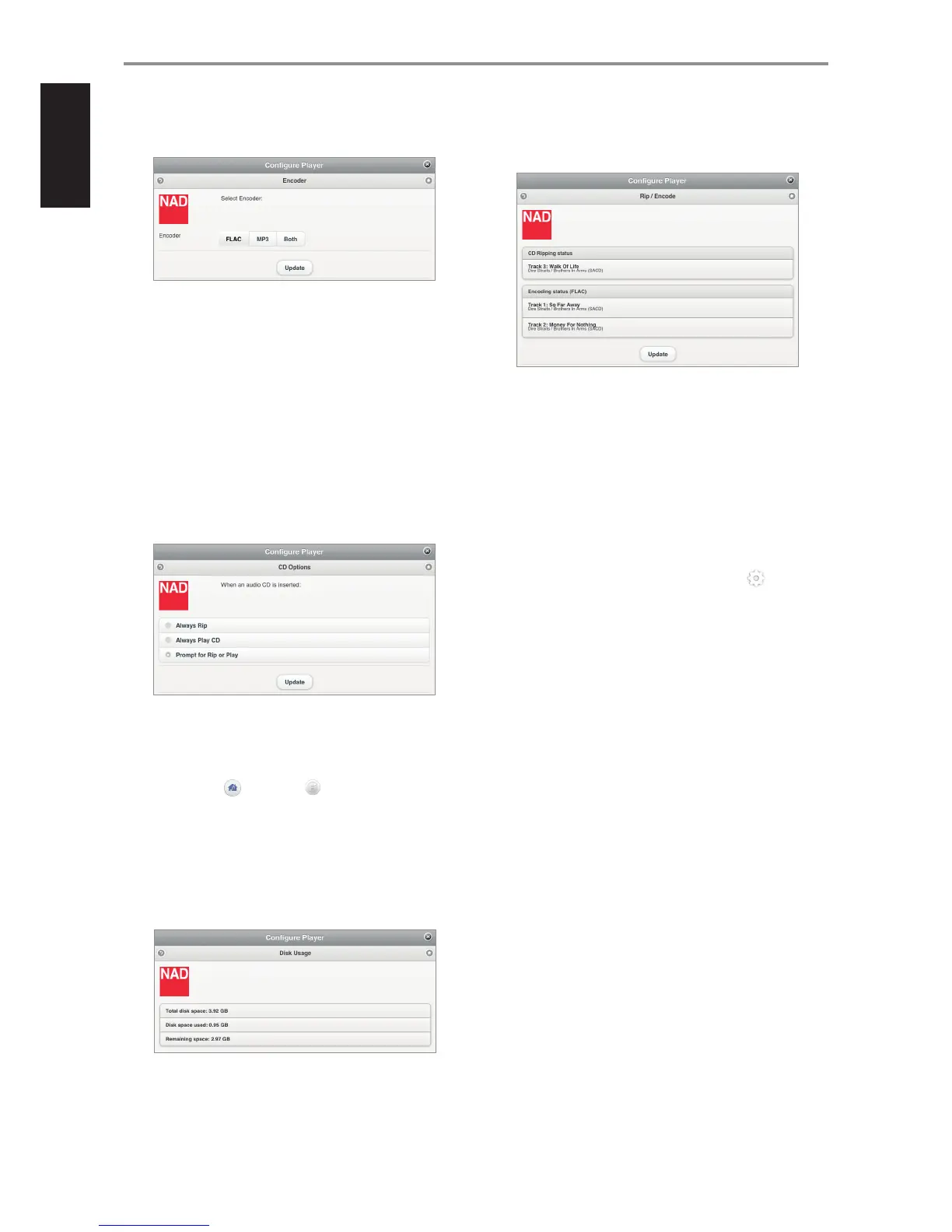
ENCODER SETTING
Set up the default le format when ripping your music CDs.
FLAC (default format): High quality compression designed specically
for CD backup purposes. Files are ripped at FLAC level 5 balancing
compression and rip speed at full CD lossless levels of 44.1 kHz/16bits.
MP3: Standard audio compression designed to keep bandwidth low
with little degradation. Files are ripped at 320kbps, the highest level of
sound quality available to MP3 format.
Both: For Hi-delity quality playback with the ability to export or
download to a personal MP3 Player.
Select “Update” to save your selected encoder setting.
RIP/PLAY OPTIONS
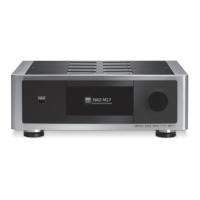
Set default setting when an audio disc is inserted.
Always Rip: Loaded audio disc will be directly ripped to the connected
M52 or USB mass storage device.
Always Play CD: Playback loaded audio CD. If loaded disc contains
music les, select (Source) and (Audio Disc) to browse content
of loaded disc. Select le to playback.
Prompt for Rip or Play: A Player notication will pop-up giving the
user two choices - Rip or Play the loaded disc.
DISK USAGE
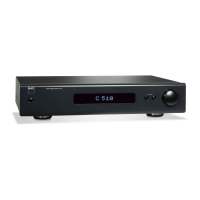
Display current information of the connected M52 or USB mass storage
device’s total disk space, used space and total remaining disk space.
RIP/ENCODE STATUS
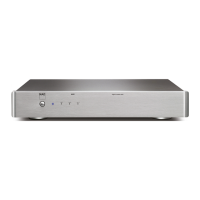
Display progress of les being copied o the loaded CD. The current
encoder status is also shown. Select “Update” to refresh information shown.
EJECT CD
Manually eject loaded disc if there are issues like the CD won’t eject or
cannot be encoded.
IMPORTANT NOTES ABOUT CD RIPPING
• For ripping of multiple CDs, insert the next disc as soon as the current
disc is ejected. It is not necessary to wait for the encoding to be
completed before the next disc is inserted.
• Only Audio CDs can be ripped into the M52. It will not rip Blu-ray, DVD,
DVD-Audio, HD-DVD or other types of Optical Disc format.
• CD ripping can be stopped at any time by selecting “Eject CD”.
• Once the nal track is encoded, do not forget to go to (Settings)
and initiate “Reindex Music Collection”. Reindexing will properly locate
and identify the newly added songs.
OPERATION
8


 To Next Page