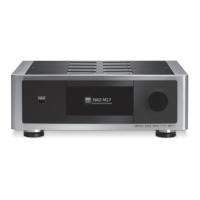
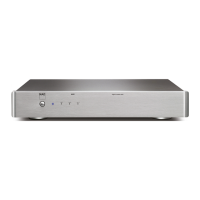
When connected to M50, the M52 serves as the storage of music ripped
from a loaded CD in the M50. The following is an illustration of the
operation of the M50 in combination with M52. The screenshots presented
are captures from the operation of the NAD M50 App for iPad which is used
as the device controller of the M50.
NOTES
• iPadisnotsuppliedwiththeM50northeM52.
• M50isnotsuppliedwiththeM52.
• Visithttp://nadelectronics.com/products/masters-series/M50-Digital-
Music-PlayerformoreinformationabouttheM50DigitalMusicPlayer.
Connect M52 to M50 as shown below.
RIP/ENCODE CONTROL PANEL
The M50 Digital Music Player can rip directly a loaded CD to a connected M52
Digital Music Vault. Using NAD’s own music management software, ripping is
completely automatic. With a network connection to the Internet, this music
management software fetches metadata and cover art, without the need for
a computer! Everything is organized and instantly available for playback. You
can browse your music collection using album art or category listing and easily
create playlists on the y.
IMPORTANT!
“Rip/EncodeControlPanel”willmanifestinthe“CongurePlayer”menu
windowonlyifthereisaUSBmassstoragedeviceoraM52connectedto
M50’srearpanelUSB2input.Intheabsenceofsuchinterconnection,the
“Rip/EncodeControlPanel”optionwillnotbeavailableinthe“Congure
Player”menu.
The following Rip/Encode Control Panel options allow you to setup and
monitor the music CDs being backed up.
M52 IN COMBINATION WITH M50
OPERATION


 To Next Page