9
Powering the Receiver
Plug the AC/DC ADAPTER (23) provided into the DC INPUT JACK (20)
Any 22V DC source with 400mA capability can also be used.) Press the POWER
SWITCH (1) once to turn on the receiver. The POWER ON LED (2) and the LCD
DISPLAY (5) will now light and the receiver is operational.
Adjusting Antennas
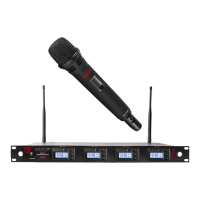
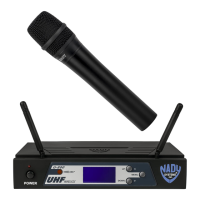
ANTENNAS (3) for diver-
sity reception. Unfold and rotate these antennas to operate the receiver. The optimal
positions of the antennas are flared 45° out from the receiver sides and 90° from each
between the receiver antennas and the transmitter at all times whenever possible.
Adjusting the Mute Level/ RF Squelch
The MUTE LEVEL/RF SQUELCH (13) can be changed anytime during the main
screen display to quiet the receiver in high noise environment condition. The control
for the minimum RF squelch setting at which the RF INDICATOR (8) will remain on
-
pated in use for your application. However, in areas of high RF activity, the squelch
receiver’s signal RF INDICATOR (8) or the diversity A or B INDICATOR (9) flickers
the flickering. Be careful not to select too high a number setting as this may reduce
the operating range to below what is needed. A range walk test will help in select-
squelch) setting will also yield a quieter mute function, which might be desired in
Note: For easier intuitive operation, the MIN and MAX indications for this control
refer to the minimum and maximum operating range settings, not to the actual mute
levels selected, which are the opposite as per above.



 To Next Page