B
B
a
a
s
s
i
i
c
c
O
O
p
p
e
e
r
r
a
a
t
t
i
i
o
o
n
n
s
s
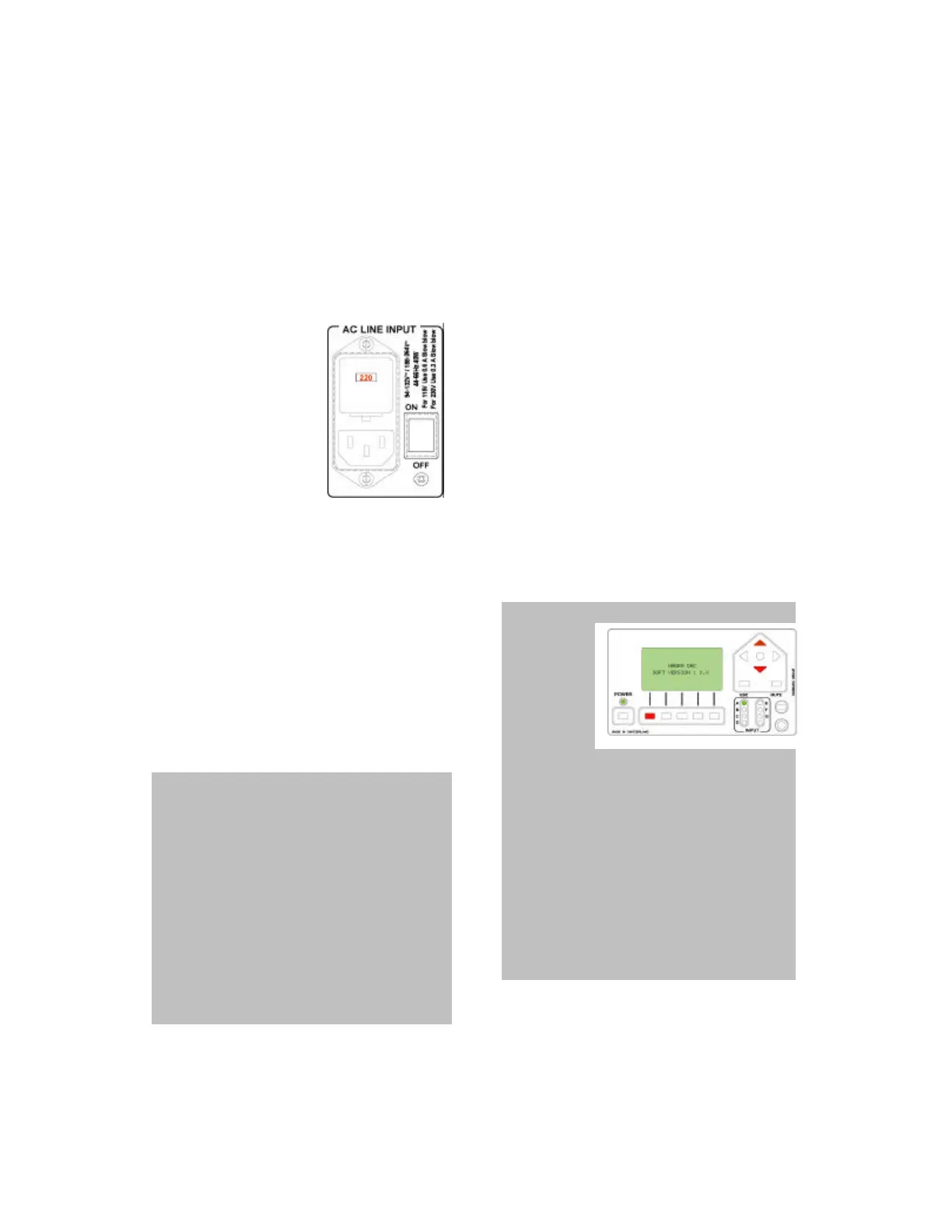
AC POWERING
Remove carefully the Nagra DAC from
its packing. Verify at the rear side that
the AC voltage
setting is
corresponding to the
local net voltage
Verify that the fuses
are corresponding to
the local AC voltage.
(Also see AC input
panel in the DAC
panel description chapter).
Before installing the AC power cable,
verify that the main switch on the rear
panel is set to OFF. Connect the power
cable to the Nagra DAC and an
approved AC power outlet.
On the rear panel, turn ON the main
power switch. After a few seconds, on
the main front panel, the power LED
above the power key turns red.
IMPORTANT NOTE: In some
circumstances when the DAC is turned
ON, due to an AC power interrupt, the
machine once turned ON again could be
in an electronically unstable position. In
this case, on the rear AC panel, turn
OFF the main power switch and leave it
OFF for at least 3 minutes. After this
delay, the power capacitors are supposed
to be discharged. Switch on again, after
a few seconds, push the front power key
and verify if everything is correct.
If the DAC does not turn ON, this
indicates that a faulty condition exists
with the following possibilities:
The fuses on the AC panel of the DAC
have blown or are not installed.
The power cord is not correctly plugged
to the DAC or to the AC power outlet.
If none of the above possibilities are
solving the problem, please refer to an
authorized NAGRA agency for the
repair
On the main panel, press the power key
once and verify that the power LED
turns green.
IMPORTANT NOTE: If the display
is not
showing
any text, it
means that
the contrast
is too low
and needs to be adjusted. To do this,
keep the left function key pressed while
also pressing the up arrow key on the
same main panel, this to increase the
contrast.
If the display shows a black square, it
means that the contrast is too high, so
the left function should be kept
pressed, while pressing also the down
arrow key on the same main panel.
Basic Operations


 To Next Page