3
1. Getting Started
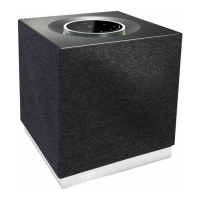
Diagram 1 – Mu-so
Mu-so underside connections
Diagram 2 – Mu-so
Mu-so side panel features
Network socket
Pin-hole button
Status indicator
USB audio input socket
Analogue audio input socket
Digital audio input socket
Mains power socket
Note: Take great care when accessing the underside
connection sockets. Do not stand Mu-so on its front grille
or either end panel, or invert it fully to stand on its top
panel. Mu-so can be stood temporarily on its rear heatsink
in order to gain access to the underside connection
sockets. Ensure however that the heatsink is protected
from damage.


 To Next Page
 Loading...