EasyManua.ls Logo

Nakamichi NAM1700-M9 - User Manual

Nakamichi NAM1700-M9
16 pages
Print Icon
To Next Page IconTo Next Page
Loading...
9
”/ 10.1
TOUCH LCD SCREEN
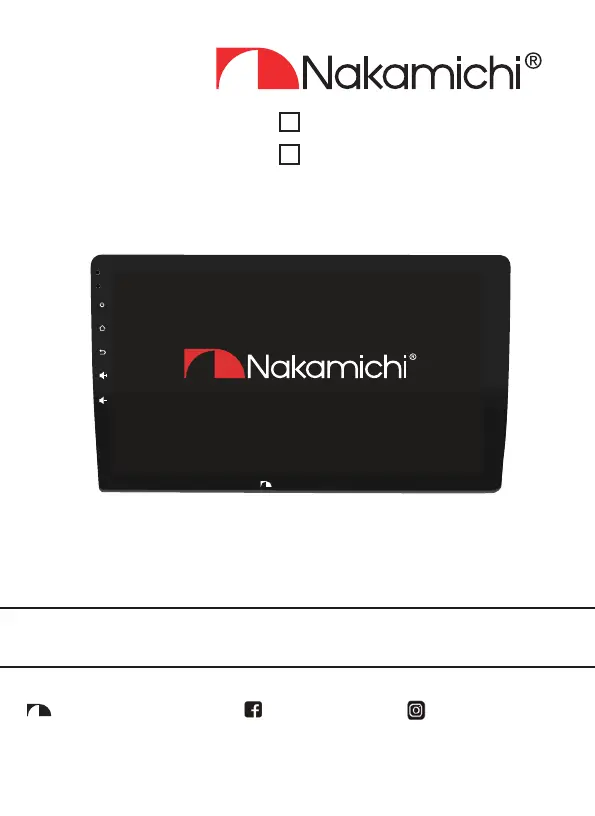
NAM1700-M9
User Manual
Nakamichicaraudio.com Nakamichi.caraudioNakamichi.Global
MIC
RST
Nakamichi
NAM1700-MX

Questions and Answers

  • C
    Courtney Garner MDAug 4, 2025
    What to do if my Nakamichi NAM1700-M9 is unable to boot?
    • A
      andrew58Aug 4, 2025
      If your Nakamichi Touch Panel is unable to boot, there are a couple of things you can try. First, the power supply fuse might have burned out, in which case you should replace it with the same type of fuse. Second, other factors might be causing the microprocessors to work abnormally. If this is the case, reboot the system by pressing the reset hole on the panel with a pointed object.
  • L
    Lisa MackAug 11, 2025
    Why is my Nakamichi NAM1700-M9 Touch Panel radio ineffective?
    • A
      arayAug 11, 2025
      If the radio on your Nakamichi Touch Panel is ineffective, it could be due to a weak radio signal. Try moving the car to another location and try again. Also, check if the radio antenna is properly connected, as a failure to connect it can lead to weak signals. Connect the antenna and try again.
  • Z
    Zachary McdonaldAug 19, 2025
    What to do if Nakamichi NAM1700-M9 Touch Panel has silent output?
    • M
      Melinda WebbAug 19, 2025
      If your Nakamichi Touch Panel has silent output, check the output line connection.
  • B
    browntiffanyAug 27, 2025
    What to do if my Nakamichi NAM1700-M9 Touch Panel loses settings when the ignition is turned off?
    • N
      Nicole HoffmanAug 27, 2025
      If your Nakamichi Touch Panel loses all settings information when the ignition switch is turned off, replace the batteries or fuse and enter the settings again.

Summary

Product Installation and Safety

Installation Of Your Product

Guide to installing the Nakamichi product in a vehicle, emphasizing proper connection.

Safety Warnings And Considerations

Critical safety guidelines for amplifier, DSP, and woofer installation and usage.

Warranty Considerations

Details Nakamichi's product warranty terms, coverage, and exclusions.

User Interface and Functions

Introduction of Touch Key Function

Explanation of the power, home, return, and volume touch key operations.

Accessory List

List of all included accessories provided with the unit.

Functional Application

Overview of the unit's main features and applications.

Safety Instructions

Important instructions for safe driving and proper unit operation.

Main Interface

Description of the default screen displayed upon booting the unit.

Radio Operation

Instructions for tuning, scanning, and managing radio stations.

USB Media Playback

Guide to using the USB interface for playing media files.

Input and Connectivity

Connecting external devices via AUX and setting up mobile internet.

Bluetooth Features

Pairing and using Bluetooth for calls, music, and phone book access.

Steering Wheel Control Setup

Guide to configuring steering wheel controls for the unit.

System and Sound Settings

Customizing language, display, and audio equalization modes.

Technical Specifications and Wiring

Wire Connection Guide

Comprehensive guide to connector labels, colors, and their functions for installation.

Technical Parameters

Specifications for display, audio, video, Bluetooth, and power systems.

Troubleshooting and Precautions

Common Troubleshooting Guidelines

Solutions for common faults like boot issues, radio reception, and silent output.

Power Supply and Speaker Connection Precautions

Critical warnings to prevent damage during power and speaker wiring.

Nakamichi NAM1700-M9 Specifications

General IconGeneral
Resolution1024 x 600 pixels
Touchscreen TypeCapacitive
BluetoothYes
USBYes
Apple CarPlayYes
Android AutoYes
Touch TechnologyCapacitive
Operating System CompatibilityAndroid, iOS
Aspect Ratio16:9

Related product manuals