EasyManua.ls Logo

Nakamichi NAM5210-A9 - User Manual

Nakamichi NAM5210-A9
15 pages
Print Icon
To Next Page IconTo Next Page
Loading...
9
/10.1
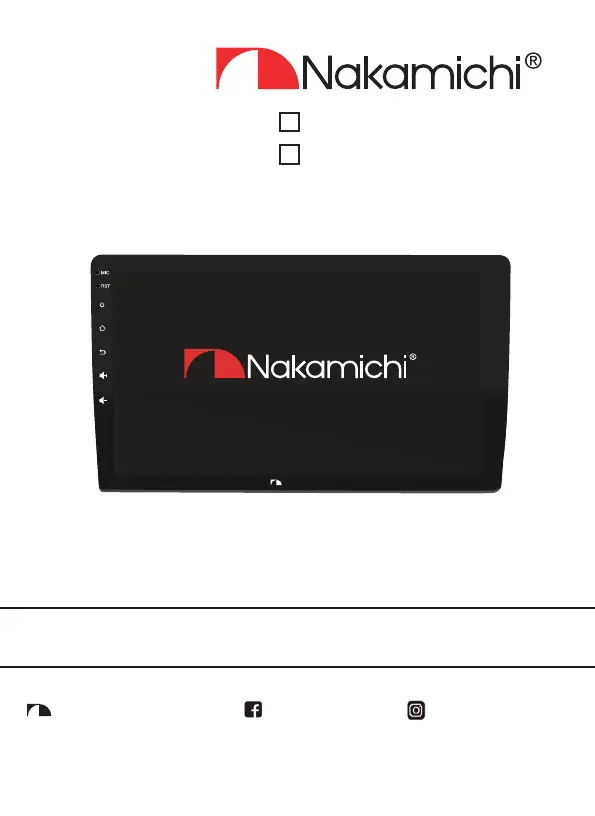
TOUCH LCD SCREEN
NAM5210-A9
User Manual
Nakamichicaraudio.com Nakamichi.caraudioNakamichi.Global
Nakamichi
NAM5210-AX

Questions and Answers

Summary

Installation and Safety

Installation Of Your Product

Guidelines for installing the Nakamichi product in a vehicle.

Safety Warnings And Considerations

Important safety precautions for amplifier, DSP, and active woofer installation.

Warranty Information

Warranty Considerations

Details on Nakamichi product warranty terms and exclusions.

Touch Key Functionality

Accessory List

Lists all included accessories with their quantities.

Safety Instructions

General Safety

Essential safety guidelines for operating the unit while driving and during installation.

Home Menu

Home Menu Overview

Description of the main interface displayed upon unit startup.

Radio Operation

Radio Tuning and Features

Instructions for using the radio interface, including tuning and band selection.

EasyConnection

Mobile Device Connection

Information on connecting mobile phones via USB or Wi-Fi.

Bluetooth Connectivity

Bluetooth Operation

Guide to Bluetooth pairing, making calls, and playing music.

Device Settings

Settings Menu Overview

Overview of device settings including network, apps, storage, security, and system preferences.

Car Settings

Car Settings Details

Details on vehicle-specific settings like steering wheel controls and reverse camera.

Wire Connection

Wiring Diagram and Pinouts

Detailed wiring information for power, AV, camera, and extension connectors.

Technical Parameters

Specifications and Formats

Key specifications for display, radio, video, audio, and Bluetooth.

Troubleshooting

Common Troubleshooting Guidelines

Solutions for common faults like inability to boot or ineffective radio.

Overview

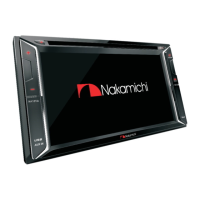
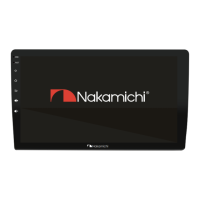
This document describes the Nakamichi NAM5210-A9 and NAM5210-AX 9"/10.1" Touch LCD Screen, a mobile system product designed for in-vehicle infotainment.

Function Description

The Nakamichi Touch LCD Screen serves as a central hub for various in-car entertainment and information functions. It allows users to:

  • Radio: Access FM/AM radio with features like automatic station search, local/remote station selection, specific station input, and RDS (Radio Data System) functionality.
  • EasyConnection: Connect mobile phones (Android USB, Android Wi-Fi, iPhone Wi-Fi) to the infotainment device for mirroring or other integrated functions.
  • Bluetooth: Make phone calls, play music, search for Bluetooth devices, connect/disconnect devices, and delete paired devices.
  • Music/Video Playback: Play audio and video files from various sources.
  • Navigation: Utilize Google Maps for navigation.
  • Settings: Access and customize various system settings, including:
    • Network & Internet: Manage Wi-Fi connections, view available networks, and connect using passwords.
    • Apps: View installed applications.
    • Storage: Check device storage and usage.
    • Security & Location: Control location functions, modes, and app permissions.
    • Users & Accounts: Manage user accounts.
    • Accessibility: Enable and adjust accessibility applications and settings.
    • Google: Set parameters for Google services and preferences.
    • Car Settings: Configure steering wheel control learning, reverse auxiliary line switch settings, display settings (screensaver, wallpaper, brightness, illumination color), and volume/sound settings (media volume when navi, media volume when reversing, media volume, Bluetooth volume, ring volume).
    • System: Adjust language and input, date and time (including automatic determination via GPS or network, and custom formats), reset options (restore to factory settings), and view "About Car" information (system software version, MCU software version, Android version, model).

Important Technical Specifications

General:

  • Voltage: 14.4V (operating range: 10.5-16V)
  • Working Temperature: -10℃ to +70℃
  • Storage Temperature: -20℃ to +80℃
  • Net Weight: 748g/851g (depending on model)

TFT Display:

  • Display Size: 9.0" / 10.1"
  • Display Resolution: 1024x600
  • Contrast Degree: 500

Radio:

  • FM Frequency Modulation: 87.5-108.0MHZ
  • AM FM Range: 522-1620KHZ

Video:

  • External Video Input System: NTSC/PAL/SECAM
  • External Video Input: 1VP-P/75Ω
  • Video Format Support: H264/MP4/AVI/MKV/FLV

Audio:

  • Maximum Power: 4x50W
  • Front Output (V): 4V/10KΩ
  • Pre-Output Impedance: ≤600Ω
  • Speaker Impedance: 4-8Ω
  • Audio Format Support: MP3/APE/AAC/FLAC

USB Interface:

  • Functionality: Readable/Chargable
  • Output: 5±0.25V/1A

Bluetooth:

  • Communication System: BT4.0 +EDR
  • Output: Bluetooth Standard Power Level 2
  • Maximum Communication Range: About 5 Meters
  • Band: 2.4G

Usage Features

Touch Key Functionality:

  • Power Key (1): Short press mutes the unit; long press turns the unit off.
  • Home Menu (2): Press to enter the main menu.
  • Return Key (3): Press to return to the previous page.
  • Volume + (4): Short press increases volume; long press increases volume continuously.
  • Volume - (5): Short press decreases volume; long press decreases volume continuously.

Home Menu Navigation:

  • The unit boots directly into the home menu, displaying icons for various functions like Radio, EasyConnection, Bluetooth, Music, Settings, Video, Maps, and Application.
  • "Car Settings" provides access to vehicle-specific configurations.
  • "Off screen" allows turning off the display.

Radio Operations:

  • Icons allow switching between FM/AM bands, automatic station search, selecting local/remote stations, inputting specific stations, and opening RDS.
  • Long pressing search icons allows for upward or downward searching, stopping automatically when a station is found, with further presses for fine-tuning.

Bluetooth Connectivity:

  • After pairing a mobile phone, users can make calls and stream music.
  • The Bluetooth interface provides options for searching, connecting, disconnecting, and deleting paired devices.
  • Displays phone book and call log.

Settings Customization:

  • Comprehensive settings menu allows for personalization of network, app, storage, security, user accounts, accessibility, Google services, car-specific functions, and system preferences.

Maintenance Features

Safety Warnings and Considerations:

  • Installation:
    • Recommended to be installed by an authorized Nakamichi dealer.
    • If self-installing, familiarize with the manual's requirements and procedures.
    • Avoid improper installation to prevent damage to existing vehicle systems.
    • Ensure all wiring diagrams are followed meticulously.
    • Do not run wiring outside or underneath the vehicle; keep all wires inside.
    • Exercise care to prevent damage to fuel lines, power/electrical wiring, hydraulic brake lines, and other vehicle systems during installation.
  • Operation:
    • Do not watch videos or operate the unit while driving to ensure safe driving and comply with traffic regulations.
    • Avoid exposing the unit to rain, water, or bare metal during installation to prevent short-circuiting.
    • Do not attempt to dismantle the unit; all service and maintenance should be performed by an authorized service center or technician.
    • Avoid using the unit for extended periods when the engine is off to prevent draining the car's battery.
    • Wipe the screen carefully; do not use sharp objects.
    • Clean only with a dry cloth or similar materials.
    • Install in a dry, well-ventilated location that does not interfere with vehicle safety equipment.
    • Do not block ventilation openings.
    • Do not mount in the engine compartment or areas of extreme heat.
    • Securely mount the product to prevent loosening due to collisions or vibrations.
    • Take precautions when connecting to the vehicle's battery to avoid shock.
    • Protect system wires from sharp edges using rubber grommets and secure them with cable ties or clamps.
    • The apparatus should not be exposed to dripping or splashing, and no liquid-filled objects should be placed on it.
    • Servicing is required if the apparatus is damaged (e.g., power input terminals, liquid spills, objects falling in, exposure to rain/moisture, abnormal operation, drops).
    • Fuses must be replaced only with the correct type and value, and only when the apparatus is powered off.
    • Avoid high sound pressure levels to prevent permanent hearing loss.
    • Designed for 12-volt, negative-ground electrical systems only; using with other systems may cause damage.

Warranty Considerations:

  • Nakamichi warrants the product against defects in materials and workmanship for a period specified by the authorized distributor.
  • Warranty is non-transferable and applies only to the original owner who purchased from an authorized Nakamichi dealer.
  • Nakamichi will repair or replace defective products at its discretion.
  • Damages not covered: accident, misuse, abuse, product modification/neglect, failure to follow installation instructions, unauthorized repair attempts, misrepresentations by the seller.
  • Does not cover incidental/consequential damages, or costs of removing/reinstalling units.
  • Cosmetic damage due to accident or normal wear and tear is not covered.
  • Warranty is void if the serial number is removed or defaced.

Common Troubleshooting Guidelines:

  • Unable to boot:
    • If the power supply fuse is burned out, replace it with the same type.
    • If microprocessors work abnormally, reboot by pressing the reset hole with a pointed object.
  • Settings lost when ignition is off: Replace batteries or fuses and re-enter settings.
  • Ineffective radio:
    • If the radio signal is weak, try moving the car to another location.
    • If radio antennas are not connected or signals are weak, connect the antenna and try again.
  • No image: If microprocessors work abnormally, reboot by pressing the reset hole with a pointed object.
  • Silent output:
    • If the voice is small, increase the volume.
    • If the output line is incorrectly connected, check the output line connection.
  • Speaker Wiring: Do not connect speaker leads of the power cord to the car battery; this will seriously damage the unit. Before connecting speaker leads to speakers, check the car's speaker wiring.

Nakamichi NAM5210-A9 Specifications

General IconGeneral
BrandNakamichi
ModelNAM5210-A9
CategoryCar Receiver
LanguageEnglish

Related product manuals