2524 Removal ProcessRemoval Process
R E M O VA L P R O C E S S ///
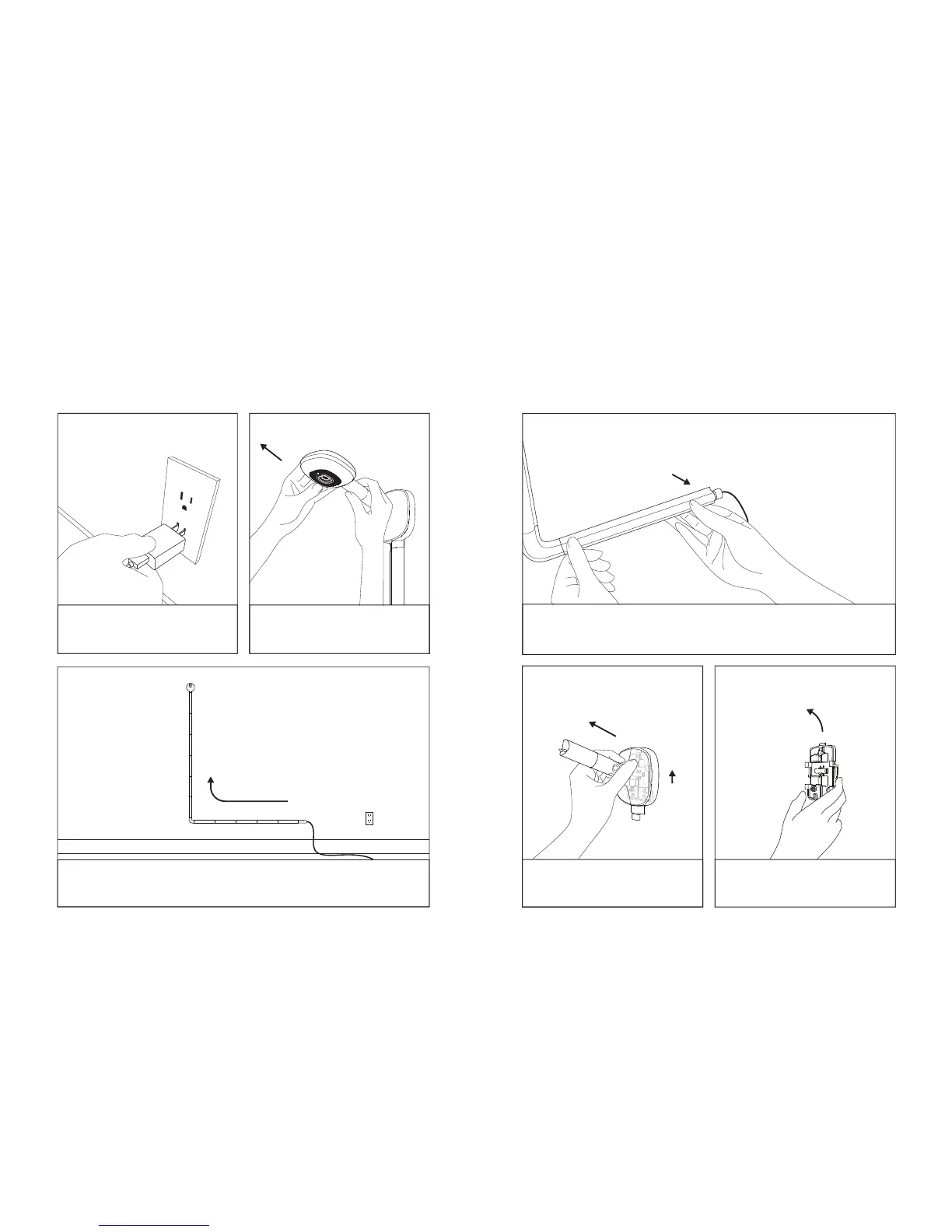
Need to move or remove your Nanit? No problem.
For each sections peel o the taped side first
and unsnap the other side.
Detach the wall mount
by pushing it up and pull.
Unscrew the wall bracket
and remove.
①
②
Due to the strength
of the tape paint
on the wall may peel o.
(Apologies! A secure
mount was important!)
Unplug the power outlet.
Pull out the camera while
holding the mount.
Carefully remove the cable covers from bottom to top,
one by one.
1
3 5
42
6


 To Next Page