31
⑧FIRMWARE UPDATE
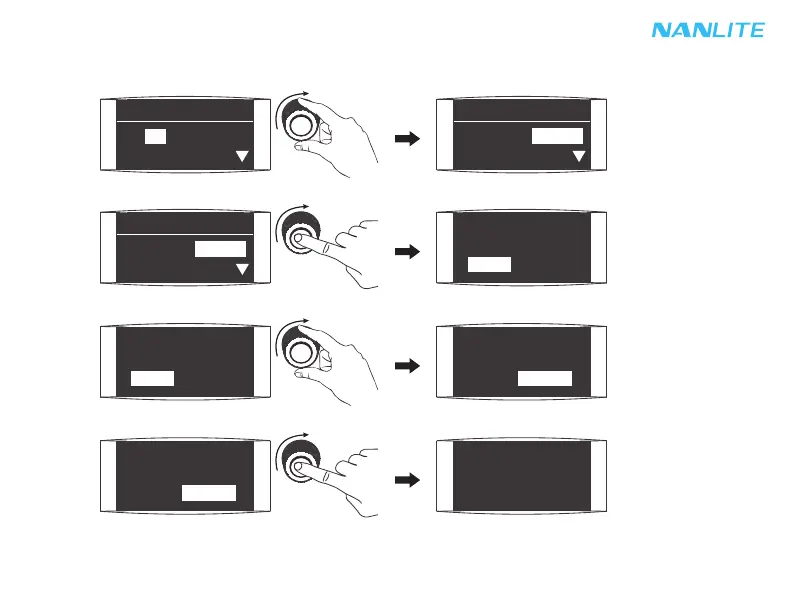
Insert the USB flash drive with new firmware into the USB port of the fixture.
In the menu, rotate "Right knob" to FW UPDATE.
MENU
VERSION:V1.02.08
FW UPDATE:UPDATE
MENU
VERSION:V1.02.08
FW UPDATE:UPDATE
Rotate "Right knob" to select "Update".
Rotate "Right knob" to enter the interface of firmware update.
FOUND FIRMWARE
_V1.02.08
BACK UPDATE
FOUND FIRMWARE
_V1.02.08
BACK UPDATE
FOUND FIRMWARE
_V1.02.08
BACK UPDATE
FOUND FIRMWARE
_V1.02.08
BACK UPDATE
Press "Right knob" to confirm the update, and it will prompt "FIRMWARE UPDATED" after the firmware update
is completed.
FIRMWARE UPDATED
MENU
LANGUAGE: ENG
CH: 512



 To Next Page