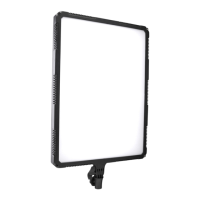
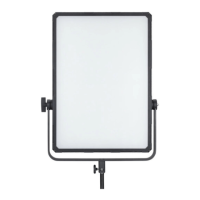
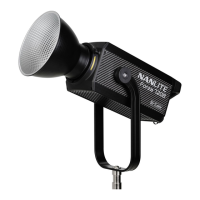
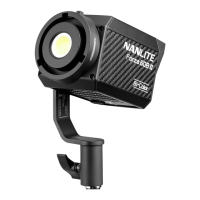
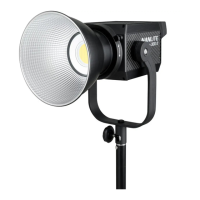
The Nanlite Compac 100 LED Studio Light is a professional lighting solution designed for studio environments, offering consistent and high-quality illumination. This user manual provides comprehensive details on the product's features, usage, and maintenance, ensuring optimal performance and longevity.
Function Description
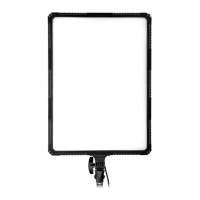
The Compac 100 LED Studio Light is primarily used for providing continuous and adjustable lighting in photography and video production settings. It features a rectangular panel design, housing numerous LEDs that emit a stable and bright light. The fixture is equipped with a dimmer knob, allowing users to precisely adjust the brightness output to suit various shooting requirements. This control over illumination intensity is crucial for achieving desired lighting effects and adapting to different ambient light conditions.
A power switch is integrated into the design, enabling users to easily turn the fixture on and off. This ensures convenient operation and helps conserve energy when the light is not in use. The fixture also includes a bracket fixing knob, which facilitates secure attachment to a light stand. This mechanism allows for flexible positioning of the light, enabling users to direct the illumination from various angles and heights.
For directional control of the light, an angle fixing knob is provided. This knob allows users to adjust the tilt of the fixture, ensuring that the light is directed precisely where needed. This feature is particularly useful for shaping light, highlighting subjects, or creating specific mood lighting.
The Compac 100 is designed with an AC power socket, serving as the input port for connecting the fixture to a power source. This ensures a reliable power supply for continuous operation. Additionally, a fuse base is incorporated into the design, which houses a fuse. This component acts as a safety measure, protecting the fixture from electrical overloads and ensuring safe operation.
Usage Features
Operating the Compac 100 LED Studio Light is straightforward, following a few simple steps. First, the fixture should be securely installed onto a light stand. Once mounted, the bracket fixing knob can be tightened to ensure stability. After installation, the fixture can be adjusted to the desired position and angle using the angle fixing knob, allowing for precise light placement.
Before connecting to power, it is essential to ensure that the power switch is in the "off" position. The fixture can then be connected to an AC 100-240V power source using the provided power cord. Once connected, the power switch can be pressed to turn on the fixture, initiating the light output.
Brightness adjustment is achieved by rotating the dimmer knob. Turning the knob allows users to increase or decrease the light intensity, providing fine control over the illumination level. When the light is no longer needed, it is important to turn off the fixture using the power switch and unplug the power cord from the AC power socket. This practice ensures safety and helps prolong the lifespan of the LEDs.
Maintenance Features
Proper maintenance and adherence to security warnings are crucial for the safe and efficient operation of the Compac 100 LED Studio Light. Upon receiving the light, it is important to inspect the package for any signs of damage incurred during transportation. If any damage is found, the light should not be used, and the dealer should be contacted immediately.
The power cord should always be handled with care. It is imperative not to use a power cord with damaged insulation, as this poses an electrical hazard. Users should avoid unplugging the power cord by pulling it forcefully or dragging it directly, as this can damage the cord or the fixture's power input port.
Before installation, users must verify that the power supply voltage matches the voltage specifications of the light. Using an incorrect voltage can lead to damage to the fixture. When the light is not in use or during cleaning, it should always be turned off and unplugged from the power source. This prevents accidental activation and ensures safety during handling.
For storage, the light should be kept in a safe place, away from children, to prevent unauthorized access or potential damage. The product should be operated within its normal voltage range to ensure optimal performance and prevent premature wear. When inserting or pulling out the power plug, excessive force should be avoided, and the connection should never be touched with wet hands, as this can lead to electrical shock.
To protect the internal circuitry, the product should be stored in a dry and well-ventilated area, away from moisture. Exposure to moisture can cause the circuit to get wet, leading to short circuits and potential damage. Finally, to preserve the life of the LEDs, it is recommended to turn off the power when the light is not in use.
In case of troubleshooting, if the light fails to turn on, users should first check if the fixture is in the "off" position. They should also verify that the connection between the power cord plug and the fixture is secure. Additionally, checking the fuse base to see if the fuse has disconnected can resolve the issue. If the lamp is flickering, users should check if the voltage value is within the specified parameters. They should also ensure that there are no high-temperature objects near the light that could cause the operating environment temperature to become too high. If these troubleshooting steps do not resolve the issue, it is recommended to contact the dealer or manufacturer for repair. The manual also states that the instructions are based on strict production tests and that any future design changes may not be updated in the manual.


 To Next Page
 General