Need help?
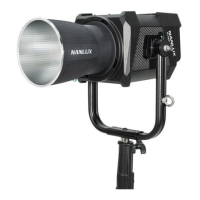
Do you have a question about the NANLUX Evoke 1200B and is the answer not in the manual?
Setting DMX address, mode, channels, dimming curve, and smoothing.
Adjusting Color Temperature (CCT) and brightness levels.
Exploring and using various built-in lighting effects.
Navigating the menu for output, fan, screen, and other settings.
Adjusting the brightness of the control buttons.
Setting display language and updating the fixture's firmware.
 General
| Brand | NANLUX |
|---|---|
| Model | Evoke 1200B |
| Category | Lighting Equipment |
| Language | English |


 To Next Page