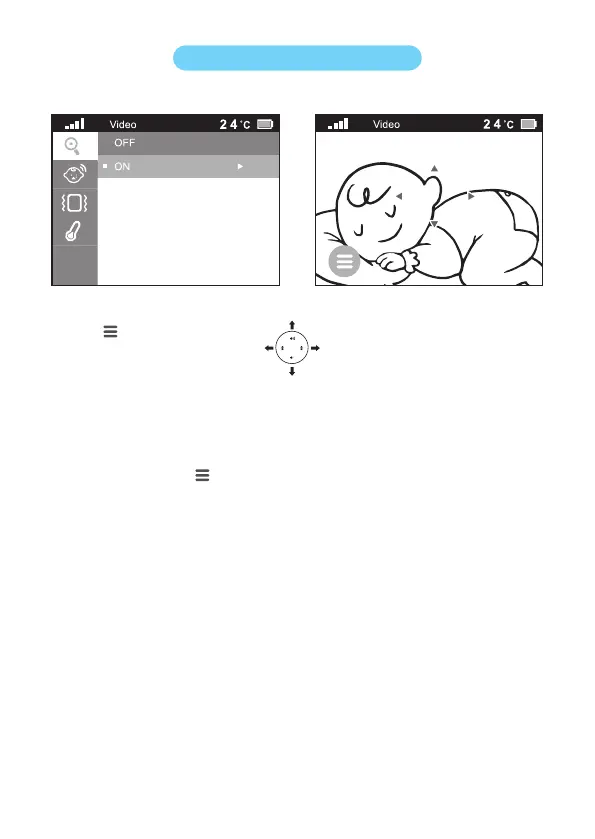
Press button.
Choose the zoom icon and push the icon and choose on.
Then you can use to pan and tilt to the position you want.
Tip: You can use the top/bottom/right/left part of the control button to choose what image will
be shown on the parent unit.
Press the menu button to save the new setting. The image is automatically saved after
5 seconds.
Go to the zoom menu and turn off the zoom function, if you want to zoom out the image.
Zoom (Digital Pan&Tilt)
1
2.
3.
4.
5.


 To Next Page