Talk-back
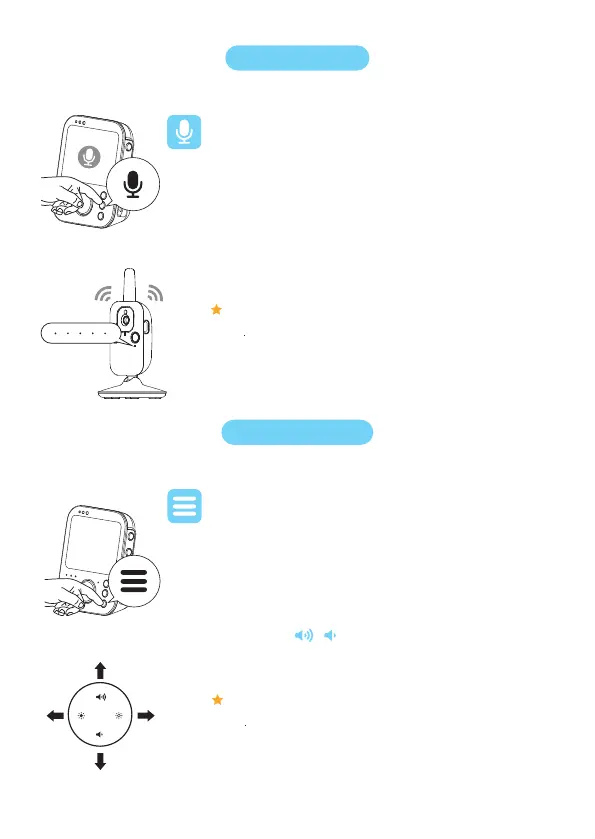
You can use the Talk-back button on the parent unit to talk to your
baby.
Two-way-talk
Menu features
Press and hold the “Talk-back” button
Speak clearly within a distance of 15-30 cm/0.5-1 ft.
While talking, you can see the “Talk-back” on the monitor
1
2.
3.
Volume
All features described in the following sections can be operated
through the menu of the parent unit.
Press the menu button to enter the menu.
Use the control button to navigate through the menu.
Tip 1 : Press / to choose the functions you want.
Tip 2 : Use to go back.
1.
2.
Note: When the “Talk-back” button is pressed, the parent unit cannot process
sounds coming from the baby unit.
Note: When you press the menu button again, you will leave the menu. Or,
if you are in the menu but do not press any buttons for 5 seconds, the menu
will exit without saving the changed settings.


 To Next Page