10
9.0 QUICK KEY FUNCTIONS
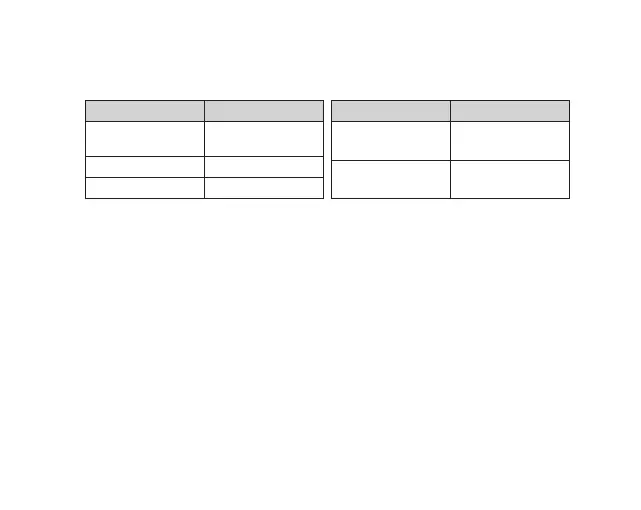
By pressing the Power button multiple times you can access several quick key functions.
OPERATION FUNCTION
Press and Hold for
2 seconds
Power ON/OFF
Device
Press Once ON/OFF WiFi
Quick Press x2 Lock File
OPERATION FUNCTION
Quick Press x3 Format the Micro
SD card*
Quick Press x5 Reset To Default
settings^
* Formatting the Micro SD card will delete all information on the inserted Micro SD Card and
prepare the card to be used with the NCP-DVR2K.
^ Restoring to default settings will also change the WIFI password to default 12345678.
In case you forget your WIFI's password, please reset to default settings.
9.1 LED INDICATOR
The colour of the NCP-DVR2K LED Light helps to indicate the following fuctions.
1. Constant red: Not recording
2. Constant blue: Recording in normal mode
3. Blue flashing: Recording an emergency event
4. Green flashing: Updating firmware.
5. Constant green: Video playback in App



 To Next Page