EasyManua.ls Logo

Nanosonics trophon - User Manual

Nanosonics trophon
112 pages
Print Icon
To Next Page IconTo Next Page
Loading...
L00052 2.0
®

Table of Contents

Questions and Answers

  • K
    Kimberly Williams MDAug 21, 2025
    Why is the Nanosonics trophon flashing a red light?
    • S
      Shelley GomezAug 21, 2025
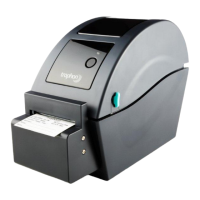
      If the Nanosonics printer displays a flashing red light, it indicates a printing error, which could be due to the head being open, no paper, or a paper jam.
  • D
    Daniel ThomasAug 25, 2025
    How to restart Nanosonics trophon Printer when it's paused?
    • R
      Robin AndrewsAug 25, 2025
      If your Nanosonics printer is paused, press the button on the printer to restart it.
  • C
    Courtney SmithAug 26, 2025
    What to do if my Nanosonics trophon Printer is not detected?
    • J
      Jeffrey NovakAug 26, 2025
      If your Nanosonics Printer is not detected, ensure it is correctly plugged into the trophon EPR. Also, verify that the power is switched ON at the wall outlet and the printer itself. Make sure the printer is a Nanosonics approved printer, indicated by a trophon logo printed on the front screen.
  • N
    noahwilliamsAug 28, 2025
    How to fix a cutter error on my Nanosonics trophon?
    • S
      solisjeremyAug 28, 2025
      To resolve a Nanosonics Printer cutter error, check inside the printer for any stuck labels and remove them. Once cleared, select Retry on the screen.
  • J
    John WadeAug 30, 2025
    Why is my Nanosonics trophon Printer not printing on the label?
    • R
      roachlauraAug 30, 2025
      If there is no print on the label from your Nanosonics printer, check that the label roll is loaded correctly and the printer is switched on. Hold the feed button down to ensure the label roll is fed through properly. It is recommended to do a test print when loading a new label roll into the printer to ensure correct loading.
  • V
    Veronica RyanSep 1, 2025
    What to do if my Nanosonics trophon Printer head overheats?
    • M
      Mary SwansonSep 1, 2025
      To address a Nanosonics Printer head overheat, select Retry on the screen. If the error continues, switch the printer off, allow it to cool, then switch it back on and select Retry on the screen again. Ensure the printer is in a ventilated area and not a confined space.
  • C
    Caleb WoodSep 3, 2025
    How to check if my Nanosonics trophon is compatible?
    • R
      Robert HamiltonSep 3, 2025
      If your Nanosonics Printer is not compatible, ensure it is a Nanosonics approved printer, which is indicated by a trophon logo printed on the front screen.
  • J
    Jason SheltonSep 5, 2025
    What does a solid red light on my Nanosonics Printer mean?
    • T
      Tracy LloydSep 5, 2025
      If the Nanosonics Printer displays a solid red light, ensure the paper cover is closed securely. This light may also indicate a printing error, such as the printer head being open or a cutter error.
  • J
    John LeeSep 7, 2025
    What to do if my Nanosonics Printer is paused?
    • D
      Denise StephensonSep 7, 2025
      If your Nanosonics printer is paused, select Retry on the trophon EPR screen.
  • V
    Victoria WatkinsSep 10, 2025
    How to turn on the Nanosonics trophon Printer?
    • K
      Karen BrownSep 10, 2025
      Ensure the Nanosonics Printer is plugged in to power and switched on. When powered on, the printer displays a small green light.

Summary

Introduction and Setup

Overview of Printer Features

Details of the printer's front and back features, including buttons and ports.

Overview of Printed Label Record Features

Explains the content and format of pass and fail disinfection labels.

Instructions for Use

Printer - Initial Set-Up

Step-by-step guide for unpacking, positioning, and initial setup of the printer.

Routine Care and Maintenance

Replacing printer Label Roll

Procedure for replacing the label roll when prompted by the trophon EPR.

Cleaning the Printer

Instructions for cleaning the printer's exterior and internal components.

Troubleshooting

Connecting and Disconnecting the Printer

Guidance on enabling/disabling the printer connection manually via the trophon EPR.

Printer Error Messages

Overview of general printer error messages and available resolution options.

Printer - Error Messages Details

Detailed explanations of specific printer errors and troubleshooting steps.

Printer Disposal

Printer Technical Specifications

Nanosonics trophon Specifications

General IconGeneral
BrandNanosonics
Modeltrophon
CategoryPrinter
LanguageEnglish

Related product manuals