Page 19 / 28
COOKING GUIDE :
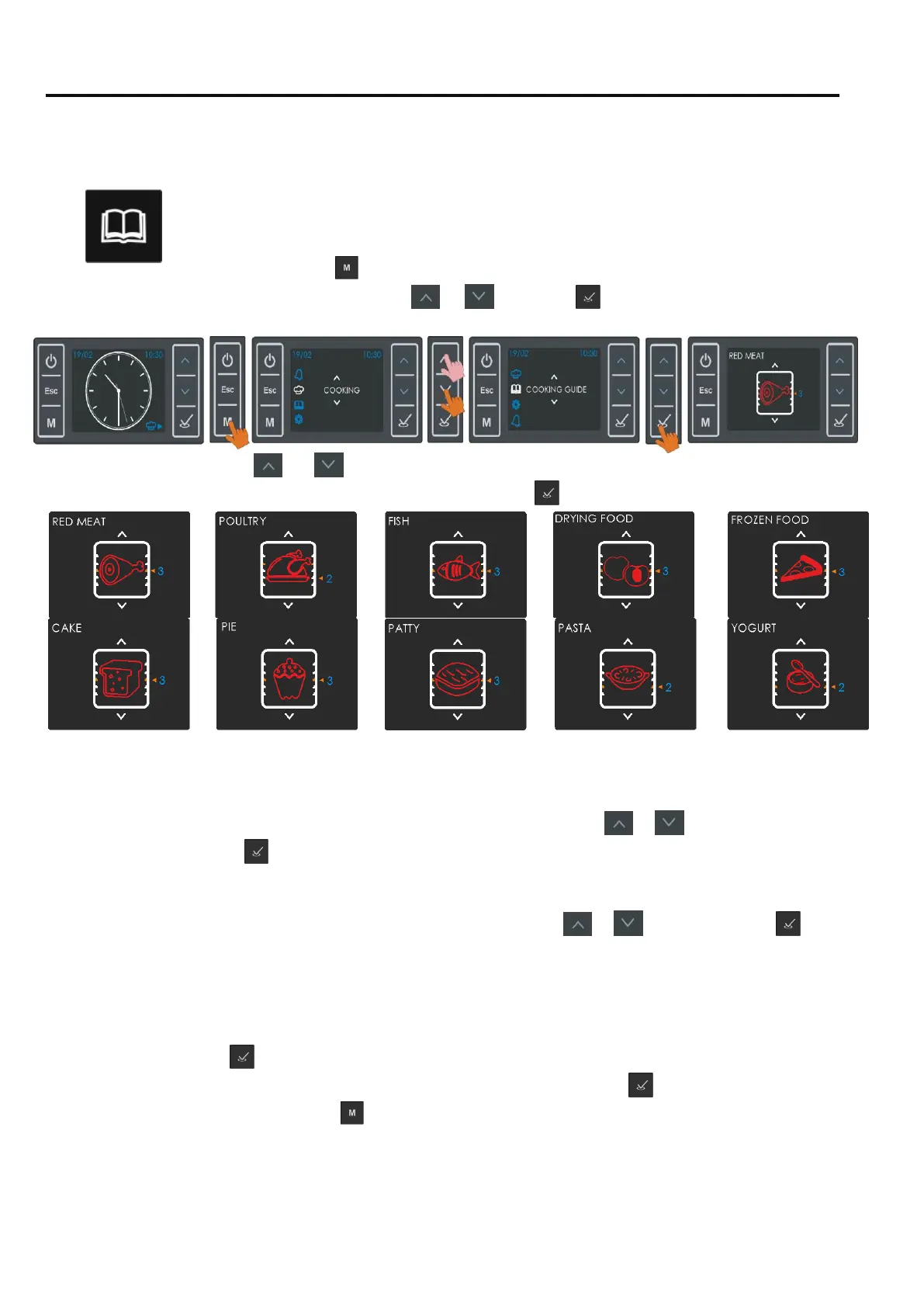
Using the Cooking Guide menu, you can select one food type among a variety . The most suitable
cooking function, Temperature , Cooking Duration will be automatically set . You will also be
advised a suitable tray position.
1.
Press
as no running cooking program, and access the main menu. Select
‘Cooking Guide’ using buttons
or
and press
. The first type of food in
memory and the suggested tray position will be shown on the screen.
2.
Using the or buttons ( or by touching the Function Selector button ) you may
Scroll through all avalaible foodtyper. Press when the desired food type is on screen
3.
For some type of foods, the control will ask you if your food to be cooked is a single piece or multi
pieces ( e.g a big piece of meat or sliced meat /steak ). Using or , select the
correct match
and press
to confirm.
4.
The weight of the food to be cooked might be asked for some food types. Give in the right
weight (
correct the default weight appearing if necessary ) using
or and confirm with .
5.
The screen will show all parameters of the cooking you are about to start. The set oven
Temperature will be flashing and can be changed within allowed limits touching the
Temperature adjustement button
6.
Pressing
will start cooking with the parameters seen on the screen including the
automatically set cooking duration and end time. Before pressing
, you may edit those
two
parameters by pressing
and entering the edit menü . Editing is done as explained
before in
the AUTO COOKING paragraph before (Please note that the cooking duration is
only allowed to
be changed within some limits) .


 To Next Page