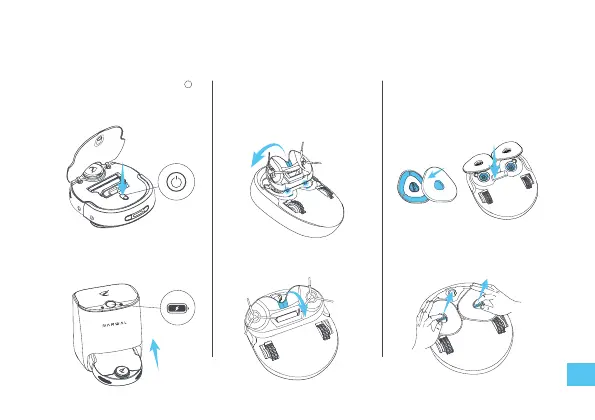
1. Turn on
Press and hold the power button for
2 seconds to turn on the robot. Note:
do not move the robot when it is
starting.
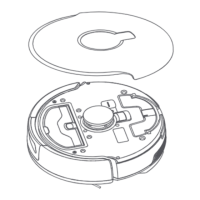
2. Install & remove the
sweeping module
Insert the protrusions under the
sweeping module into the slot and
press the sweeping module. The robot
will automatically hold the module.
3. Install & remove the
mopping module
Install the mop on the module and
press the mounting port into the
robot's mounting shaft.
Pull the handle to remove the sweeping
module.
Pull the handle to remove the mopping
module.
It can not be turned on when the
battery is low. lease put the robot into
the base station to charge.
Robot preparation
13


 To Next Page