How do I install or reinstall the Ethernet driver?
Refer to KnowledgeBase 3H3COSD8, What Peripheral Drivers Should I Use with My
PXI or VXI Controller?, at ni.com/support.
How do I install soware from a CD?
The compact size of the PXIe-8861 does not allow for an integrated USB CD/DVD-
ROM drive. You have the following options:
•
USB CD/DVD-ROM—You can install from a USB CD/DVD-ROM using a bootable
installation CD.
•
Mapped network drive—You can use the Ethernet to connect to another
computer. If you share the USB CD/DVD-ROM drive on the other computer, you can
map the shared USB CD/DVD-ROM drive to a drive letter on the PXIe-8861.
A USB CD/DVD-ROM drive is available from NI, part number 778492-01.
How do I upgrade system memory?
You can change the amount of installed RAM on the PXIe-8861 by augmenting or
replacing the preinstalled SO-DIMM. Complete the following steps to replace the
RAM.
1. Remove the PXIe-8861 from the PXI chassis.
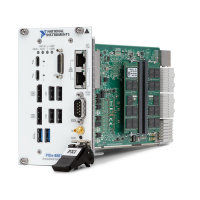
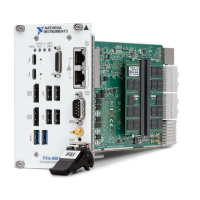
2. Locate the SO-DIMM sockets on the side of the controller, as shown in the
following figure.
3.
Install the new SO-DIMM module into the slot.
PXIe-8861 System Memory Information
NI oers the following types of SO-DIMMs for use with the PXIe-8861 controller.
■
PXIe-8822/42—16 GB, DDR4 3200 MHz non-ECC SODIMM (NI part number
786777-01)
■
PXIe-8862—2x 16 GB, DDR4 3200 MHz non-ECC SODIMM (NI part number
786776-01)
© National Instruments
13
PXIe-8861 Getting Started Guide


 To Next Page
 Loading...