16
L. COUNT DOWN / CHRONO-
GRAPH RESET
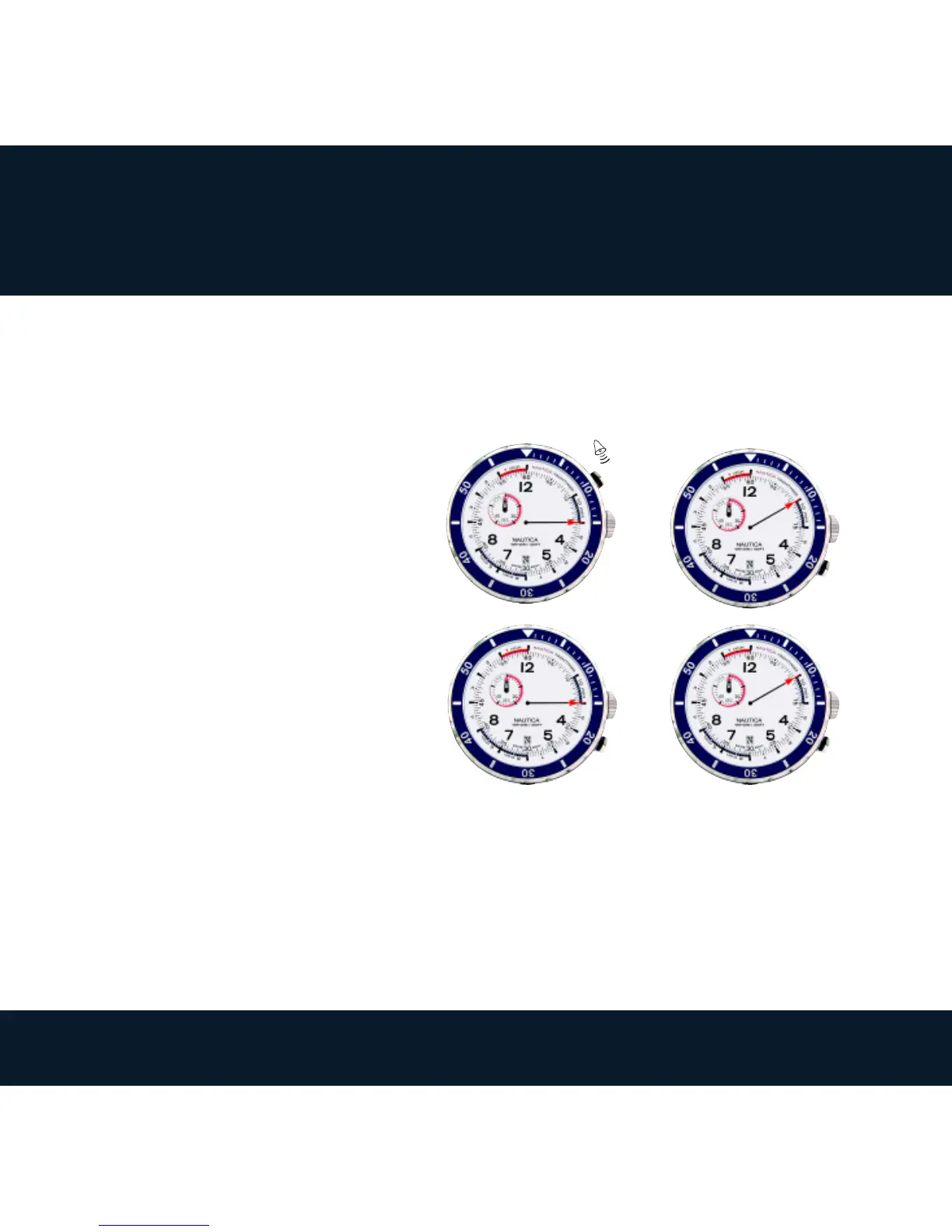
Count down reset:
a. Press A to stop the count down,
1 beep emits.
b. Press B, the small counter hand
at 10H is reset to zero (“60”), and
the central hand returns to the
previously set count down start
time.
Chronograph reset:
a. Press A to stop the chronograph,
1 beep emits. The small counter
hand at 10H displays the counted hours, and the central hand displays the counted
minutes.
c. Press B, the small counter hand at 10H displays the counted seconds,
d. Press B again, the small counter hand at 10H is reset to zero (“0”), and the central
hand returns to the previously set count down start time.
CHRONOGRAPH FUNCTION
➡
B
➡
B
➡
B
➡
A
a. b.
c. d.



 To Next Page