
 Need help?
Do you have a question about the Nautilus Hyosung MONiMAX7600DA and is the answer not in the manual?
Defines the manual's purpose for operating the MX7600DA and its intended audience of bank staff and customers.
Provides contact information for support and outlines the topics covered within the operator manual.
Lists and defines key terminology and abbreviations used throughout the document for clarity.
Details general safety precautions, symbols, and warnings for safe operation and handling of the equipment.
Provides safety guidelines and hazard symbol descriptions in French for equipment handling.
Lists other relevant manuals such as Installation, Service, VDM, and Error Code Manuals.
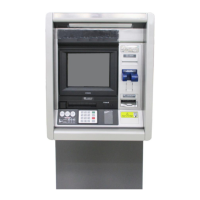
Introduces the MX7600DA as a full-service ATM, detailing its benefits and purpose.
Identifies and explains the customer interfaces and devices located on the ATM fascia.
Highlights the important hardware and software features of the MX76000DA system.
Describes key internal components like CE (Control Electronics) and other system devices.
Explains the customer display, touch screen, and encryption PIN pad functionality.
Details the display module and input methods used for supervisor or teller operations.
Describes the function and basic specifications of the cash dispenser unit (CDU).
Details the specifications and function of the manually operated dip card reader.
Explains the function and basic specifications of the receipt printer.
Describes the optional Cash & Check Insert Module (CCIM) for cash and check handling.
Explains the role of the power supply unit in converting AC to DC power for system modules.
Describes the function of the heater unit in maintaining ATM ambient temperature for operation.
Provides instructions on how to open and close the exterior door of the ATM.
Explains how to access the ATM servicing screen by opening the hood.
Details the procedure for opening and closing the vault door using the lock.
Step-by-step guide on how to turn on the ATM system.
Step-by-step guide on how to properly turn off the ATM system.
Explains the functions of LEDs and switches related to the power supply status.
Details the operation, opening, closing, and changing combinations for the Cencon security lock.
Explains how to open, change combinations, and manage batteries for the electronic lock.
Provides an overview of the Cash & Check Insert Module (CCIM) functionality and purpose.
Details the technical specifications of the CCIM, including processor and interface.
Describes the physical dimensions and weight specifications for the CCIM and its cassettes.
Refers to bill conditions as described in the Cash Dispenser section for CCIM handling.
Provides instructions for removing jams from various sections within the CCIM.
Covers procedures for replacing ink cartridges, resetting PRT cartridge count, and replacing felt.
Defines acceptable and unacceptable conditions for bills to be dispensed by the ATM.
Step-by-step guide on how to properly replenish the cash cassette with bills.
Instructions on how to empty the reject and retract boxes containing defective or withheld bills.
Detailed procedures for clearing jams in various transport paths within the cash dispenser unit.
Explains how to reset the main board of the cash dispenser unit.
Guides on setting the base guides for different bill denominations for horizontal size adjustment.
Guides on setting the cover guides for different bill denominations for vertical size adjustment.
Describes how to change the denomination label and assign values in supervisor mode.
Introduces the receipt printer and summarizes its key technical specifications.
Provides essential precautions for storing and handling receipt paper rolls to ensure print quality.
Step-by-step instructions for correctly loading the receipt paper roll into the printer.
Guides on how to locate, remove, and clear paper jams within the receipt printer.
 General
| Brand | Nautilus Hyosung |
|---|---|
| Model | MONiMAX7600DA |
| Category | Cash Counter |
| Language | English |



 To Next Page
