
 Need help?
Do you have a question about the Nautilus Hyosung MoniPlus2 and is the answer not in the manual?
Specifies the minimum software version needed for Voice Guidance.
Details how FDKs are mapped to the numeric keypad for VG sessions.
Defines parameters for VG session operation.
Details attributes for the <Config> element like groupID, timersAdjust.
Defines customer-configurable session options.
Defines numeric keyboard layouts for VG transactions.
Defines key positions and generated codes.
Defines voiced text and controls for screen options.
Contains the actual text to be voiced by the TTS engine.
How to include VG data in host transaction replies.
Using the Screen Display Update field for dynamic data.
Using printer data fields for audio or dynamic data.
Using ITR messages to gather info during VG sessions.
Sending text directly to be voiced in ITR messages.
Using ITR messages with references to audioIDs.
Defines parameters for VG session configuration.
Defines customer-configurable session options.
Defines numeric keyboard layouts for VG transactions.
Defines voiced text and controls for screen options.
 General
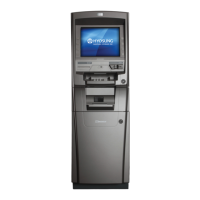
| Brand | Nautilus Hyosung |
|---|---|
| Model | MoniPlus2 |
| Category | Cash Counter |
| Language | English |



 To Next Page