www.NavePoint.com 8 customerservice@navepoint.com
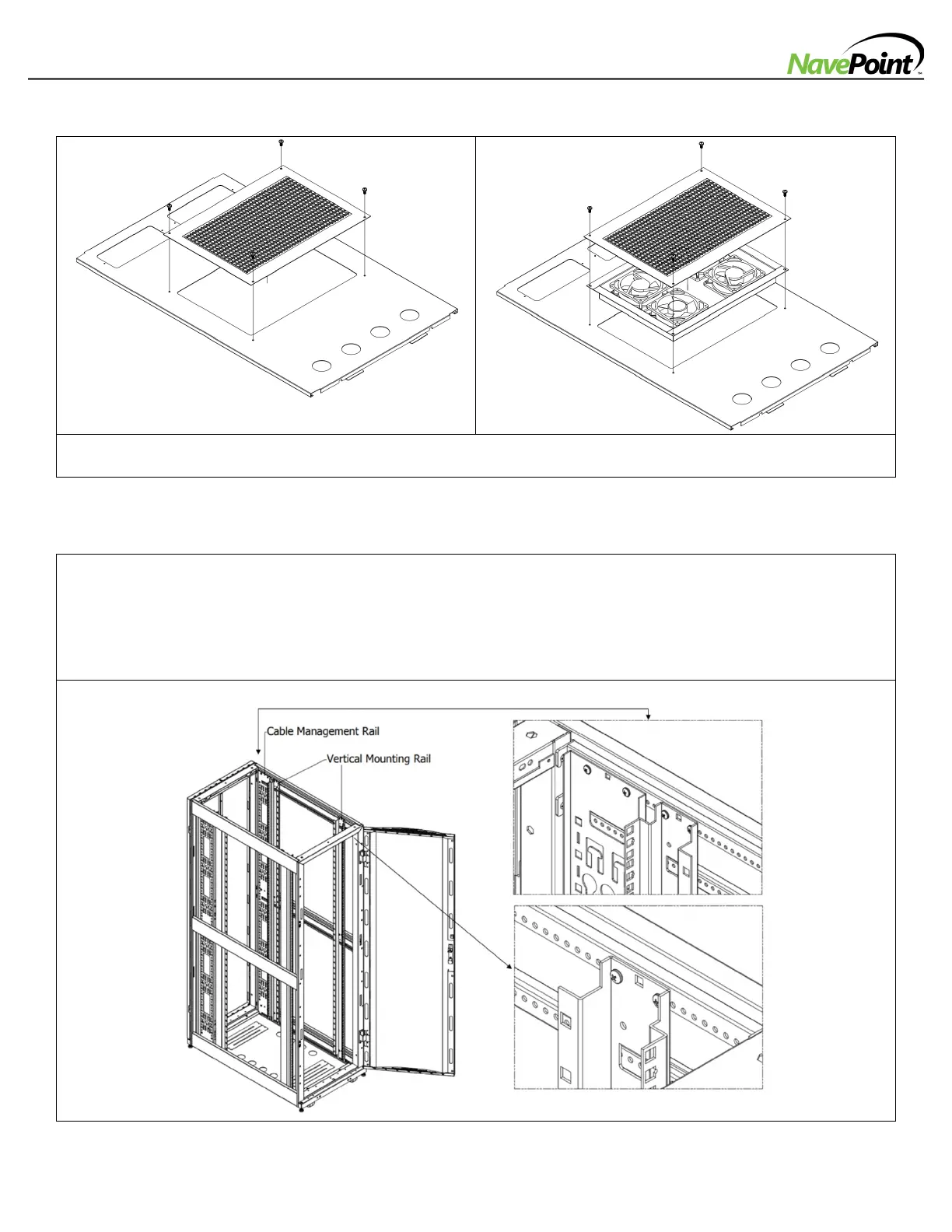
-Optional Cooling Fan for Fan Top Panel (Sold Separately)
1: Unscrew the perforated panel.
2: Attach Cooling Fan Panel into the opening on the Top Panel and fasten with screws provided.
-Adjusting Vertical Mounting Rails and Cable Management Rails
1: Each Vertical Mounting Rail is connected to the enclosure with 6 screws (1 pair at the top beam, 1 pair at the
middle beam and 1 pair at the bottom beam.
2: Adjust the rails by sliding them to the desired depth and secure them with the 6 screws described above.
3: Slide the mounting rails to the desired depth and reattach them.
The depth of the 2 Cable Management Rails can be adjusted using the same method. The rail attachment points are
numbered to help you align each pair of rails at the same depth.



 To Next Page