www.NavePoint.com 7 customerservice@navepoint.com
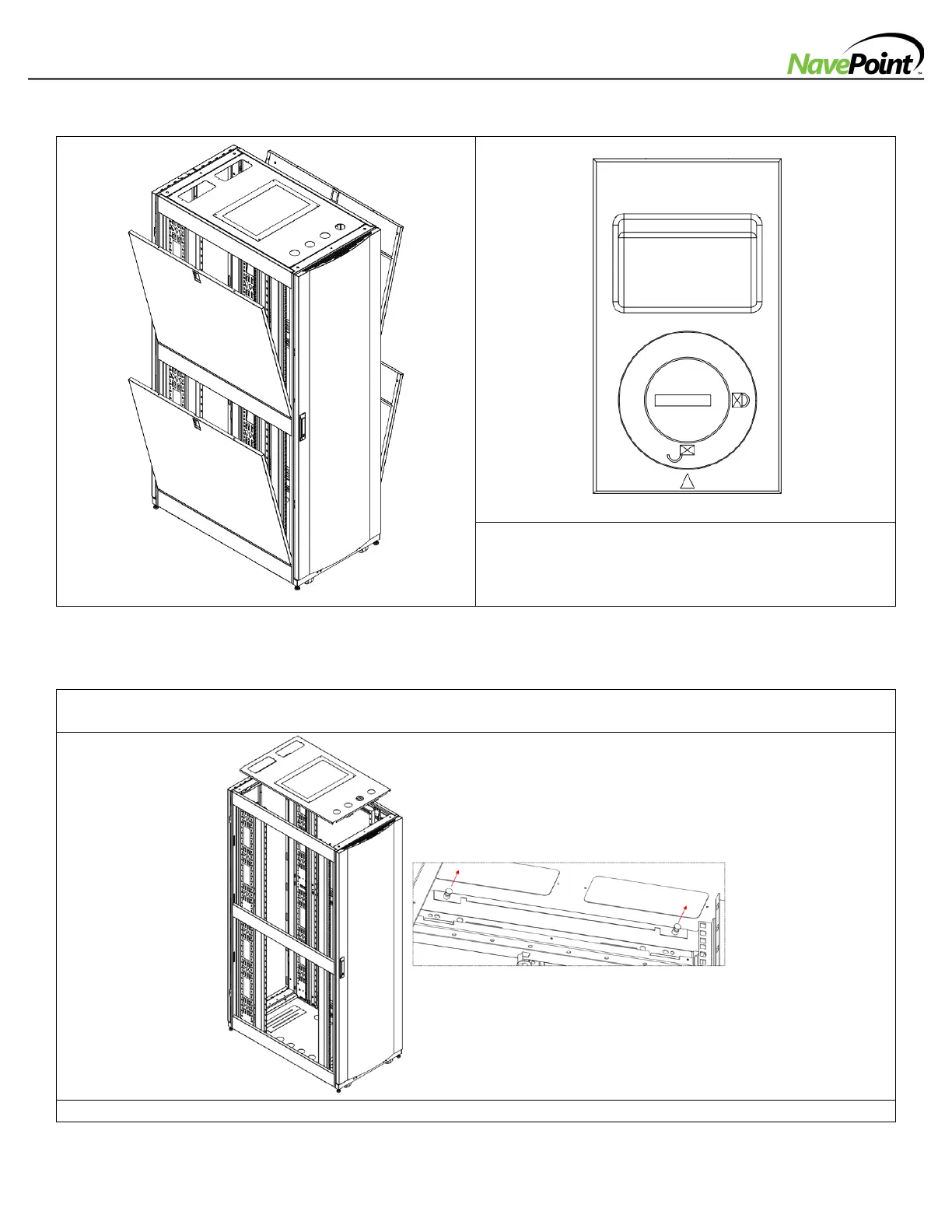
-Adding or Removing Side Panels
1: Unlock the Side Panel latches using Front Door/Back
Door keys.
2: Remove Side Panels by sliding the plastic latch
downward.
-Adding or Removing Top Panel
WARNING: Do not attempt to use the roof panel for weight-bearing purposes. Do not attempt to add or remove
the roof panel without assistance.
From inside of the enclosure, Pull the 2 pins near the rear of the roof panel and push the roof panel upward.



 To Next Page